MCP server
TAS exposes its AI tools to external MCP clients (Claude Code, Claude Desktop, claude.ai, MCP Inspector) through a single HTTP endpoint. This article describes how to issue access, how to choose the scope of tools, and how to connect a specific client. The feature is available from version 5.19; this article describes the state as of version 5.19.4.
Prerequisites
- TAS version 5.19 or newer,
- the
AdminorAPI Token Administratorrole to access the API Access screen, - a system user under whose identity the tools will run (for an API token and a confidential OAuth client),
- an MCP client that supports the Streamable HTTP transport.
What the MCP server enables
Model Context Protocol is a standard by which an AI client discovers and calls the tools of a third-party application. TAS exposes the same tool catalog that its own built-in AI chat uses. A connected client can therefore, for example, create a case, look up an existing case in the user's views, read the organization's knowledge documents, or trigger a manual workflow event.
The server is stateless. Each request creates a new MCP server instance, handles one JSON-RPC message, and closes. TAS keeps no session ID or state between calls; continuity is maintained by the client.
Property | Value |
Protocol | MCP over Streamable HTTP |
Method |
|
Path |
|
Server identification |
|
Supported protocol versions |
|
Authentication | API token or OAuth access token |
Endpoint address
The endpoint lives on the backend, not on the frontend domain. On some installations the backend is proxied under the /api path, so the address is https://<instance>/api/mcp. Elsewhere the backend runs at the root and the address is https://<instance>/mcp.
You can find the correct address in the discovery document, which responds on both origins:
curl -s https://<instance>/.well-known/oauth-protected-resourceResponse:
{
  "resource": "https://<instance>/api",
  "authorization_servers": ["https://<instance>/api"],
  "bearer_methods_supported": ["header"],
  "resource_name": "tas"
}
The resource value is the base address of the backend. The MCP endpoint is <resource>/mcp.
Quick start
- Issue an API token. In TAS go to
Administration > API Access > API Tokensand click Generate Token. Select a system user, the validity in days, and a description. - Verify the connection by calling the
initializemethod (see below). - Connect the client according to the Connecting clients section.
Verification call:
curl -s -X POST https://<instance>/api/mcp \
  -H "Authorization: Bearer $TAS_TOKEN" \
  -H "Content-Type: application/json" \
  -H "Accept: application/json, text/event-stream" \
  -d '{"jsonrpc":"2.0","id":1,"method":"initialize","params":{
        "protocolVersion":"2025-06-18","capabilities":{},
        "clientInfo":{"name":"curl","version":"1"}}}'
Expected response:
{"result":{"protocolVersion":"2025-06-18","capabilities":{"tools":{}},
 "serverInfo":{"name":"tas-mcp-server","version":"5.19.4",
 "instructions":"tas stateless MCP server exposing local integration tools."},
"jsonrpc":"2.0","id":1}Accept header must contain both application/json and text/event-stream. Otherwise the server responds with 406.Issuing access
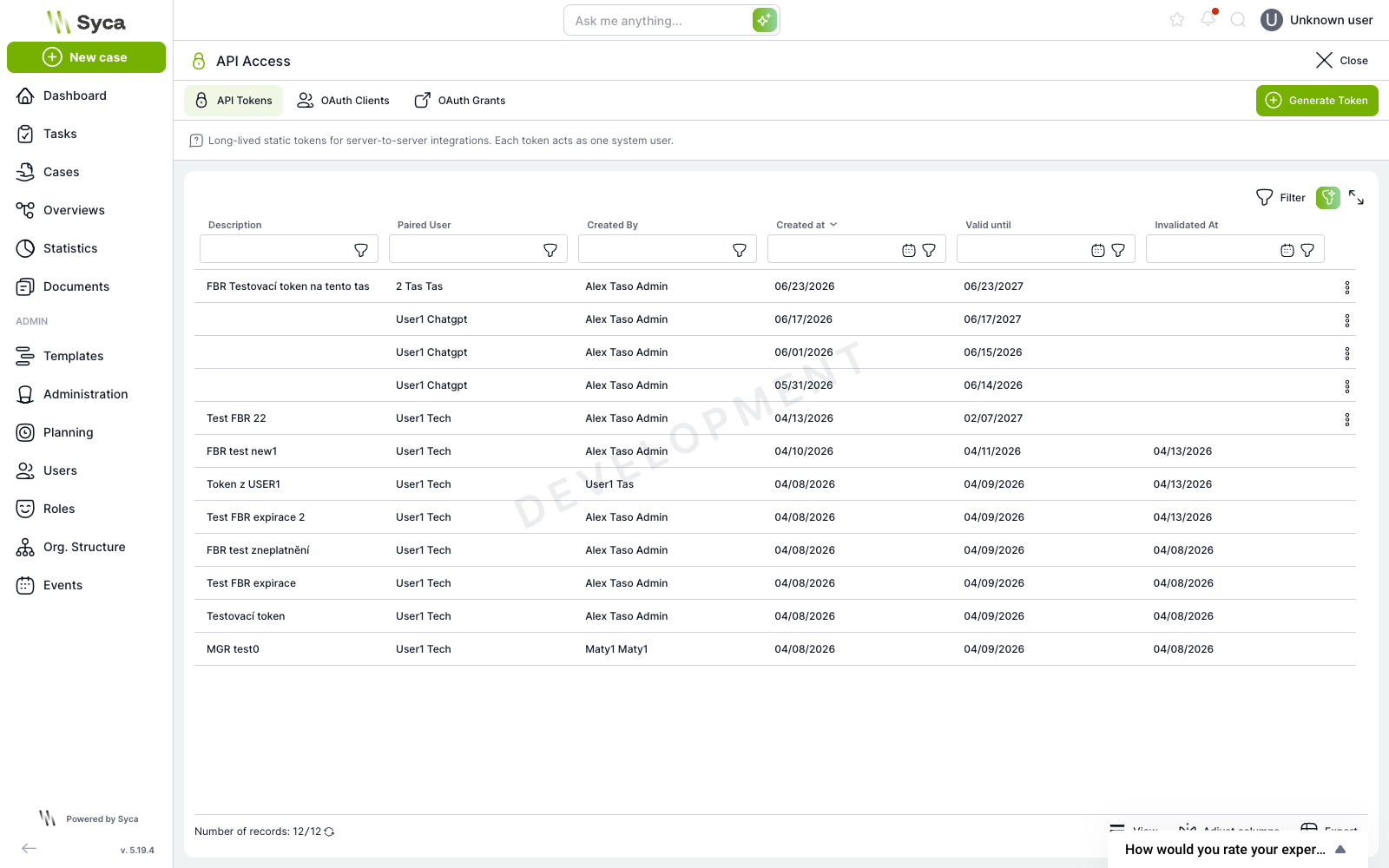
All kinds of access are managed on the API Access screen (/administration/api-access), split into three tabs: API Tokens, OAuth Clients, and OAuth Grants.
Which kind of access to choose
Access | Suitable for | Acts as | Lifetime |
API token | Custom script, server-to-server integration, quick test | Selected system user | Long (365 days by default), static string |
OAuth: confidential | Machine integration that should not carry a permanent secret | Paired system user | Short (8 hours), exchanged for the client secret |
OAuth: public | Applications connected by the user themselves (Claude, ChatGPT) | Signed-in user, each one individually | 8-hour access token, rotating refresh token (30 days) |
Issuing an API token
- Go to
Administration > API Access > API Tokens. - Click Generate Token.
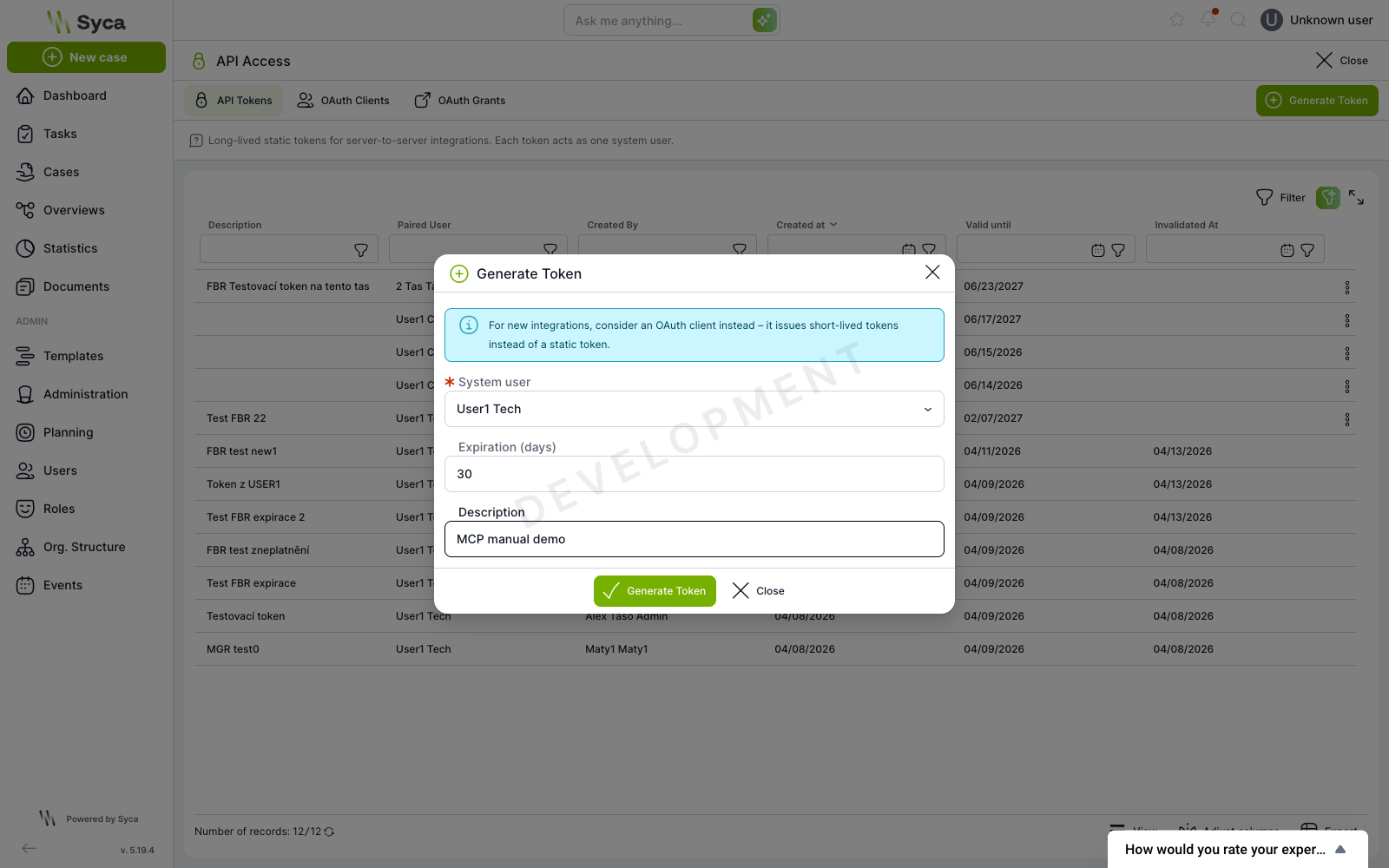
- In the System user field, select a system user. The token has no permissions of its own; it inherits the roles of this user.
- Fill in Expiration (days) and Description.
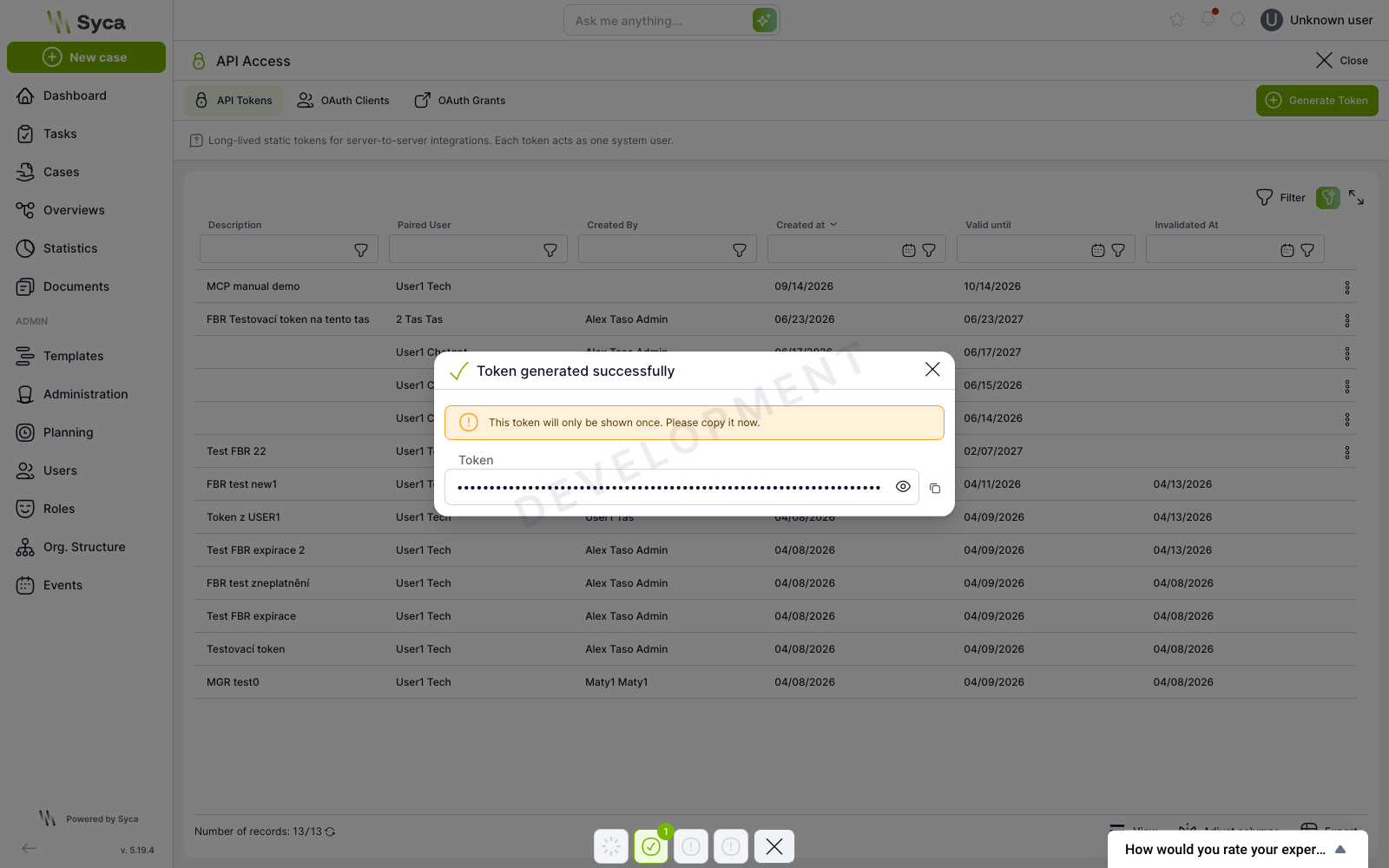
- Confirm with the Generate Token button and copy the token.
/mcp. Do not send it in a URL, do not commit it to a repository, and read it from an environment variable in client configurations.OAuth clients
From version 5.19, TAS is a full OAuth 2.1 authorization server. For MCP, the public client is the most relevant. This is how Claude or ChatGPT connects: each user approves access on their own behalf, and the tools then run under their own roles.
- Go to
Administration > API Access > OAuth Clients. - Click Create client.
- Fill in Client name.
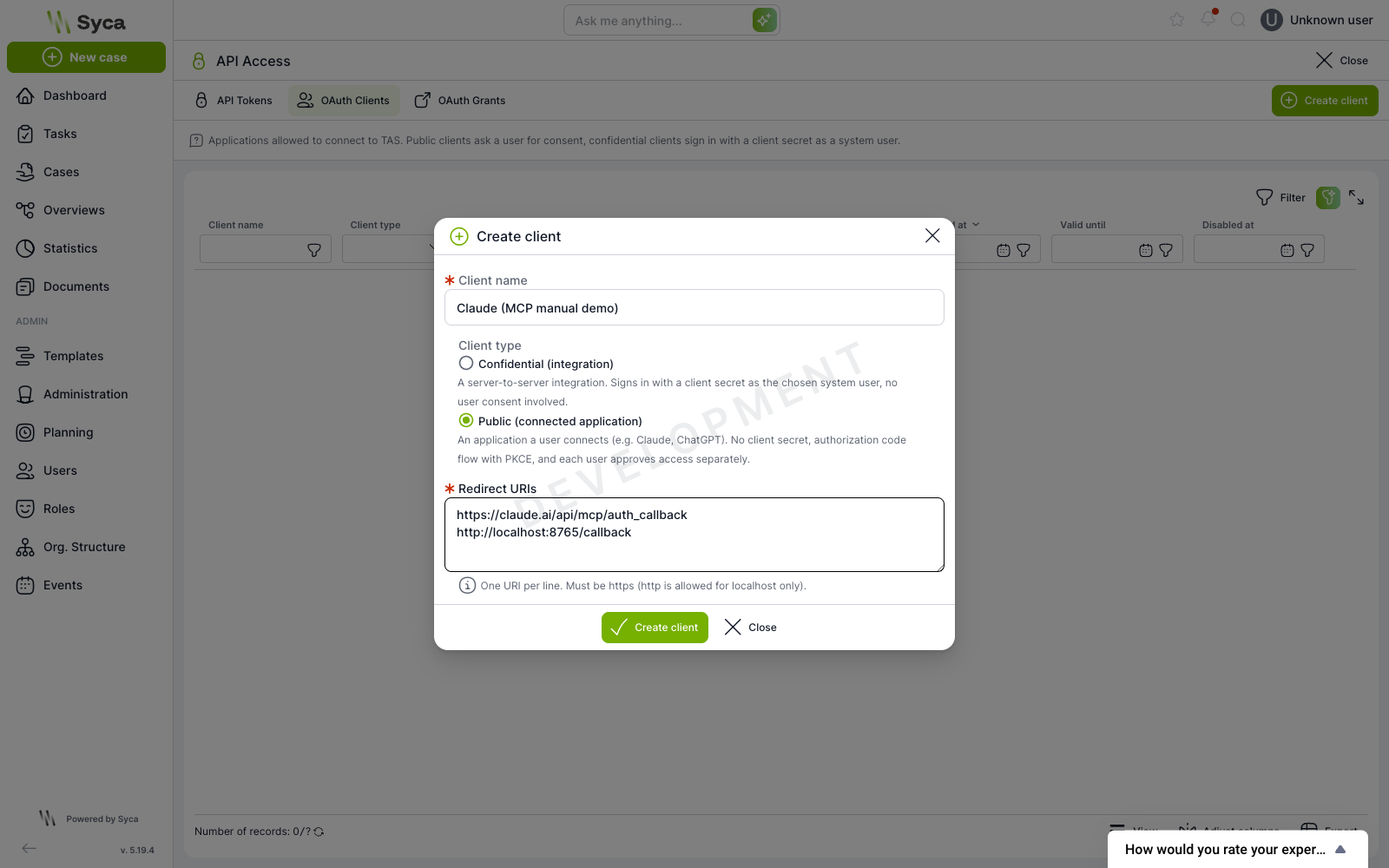
- Choose the Client type:
- Confidential (integration): a server-to-server integration that authenticates with a client secret as the selected system user, without user consent,
- Public (connected application): an application connected by the user, without a client secret, via authorization code and PKCE.
- For a confidential client, select the System user and the secret validity. For a public client, fill in the Redirect URIs, one URI per line.
- Confirm with the Create client button and save the Client ID.
https. The exception is http for localhost. Addresses are compared exactly and must not contain a fragment.Registered redirect URIs can be viewed and corrected later in the client detail. A typo in the callback therefore does not mean creating the client again.
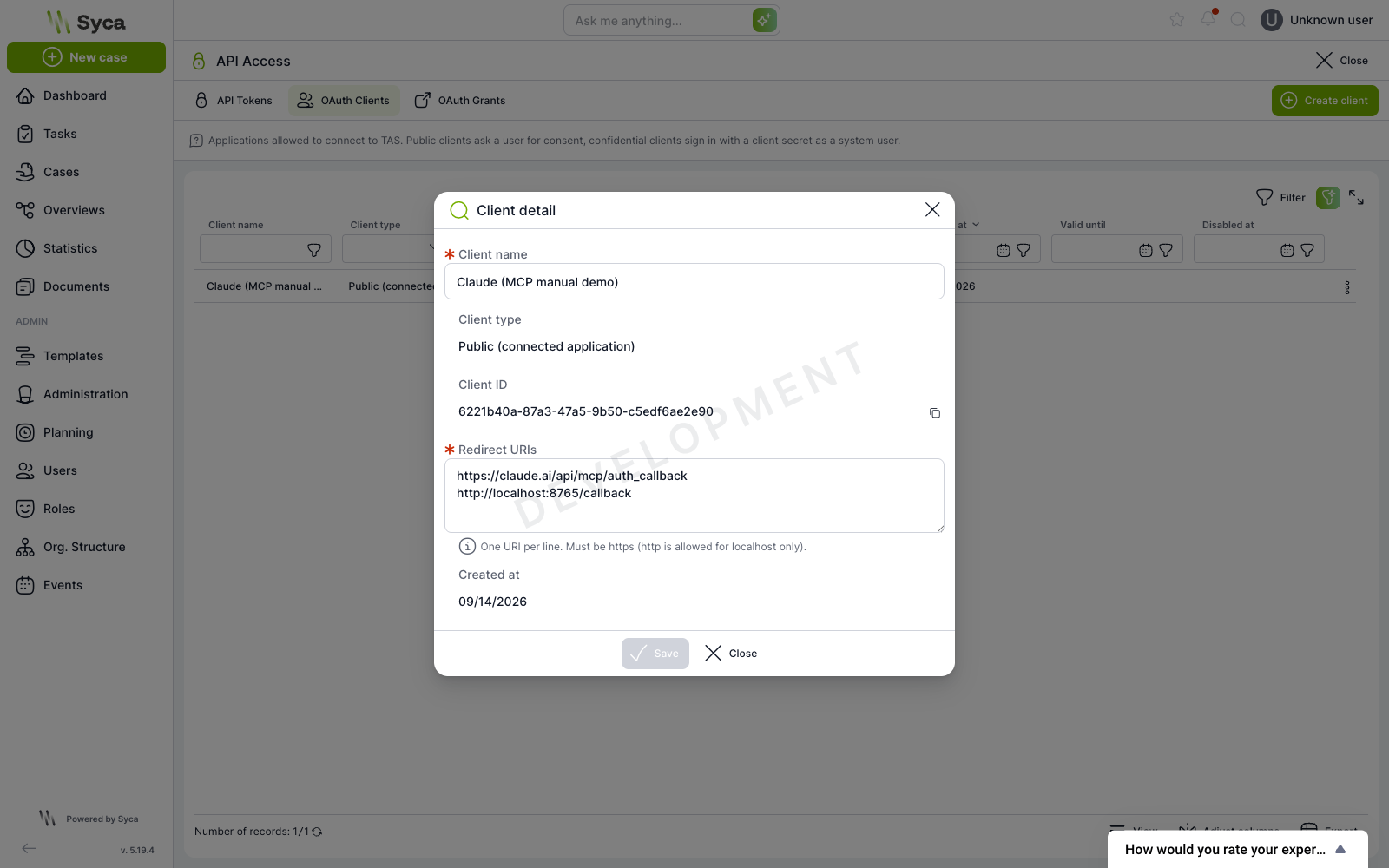
For a confidential client, the client secret is also displayed on creation, just as one-time as the API token. If it expires or leaks, replace it with the Generate new secret action on the client row, without the client losing its identity and without having to reconfigure the connected application to a new Client ID.
User consent
When a public client sends the user to /oauth/authorize, TAS first signs the user in with any configured authority and then displays the consent screen. It names the application, the account it will act under, and the redirect target.
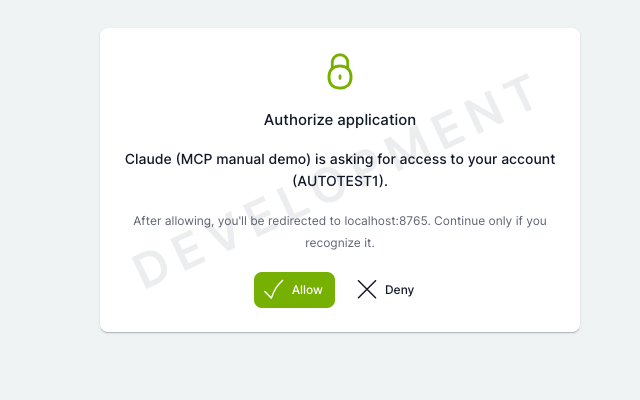
After confirming with the Allow button, the client exchanges a one-time code valid for 60 seconds for an access token (8 hours) and a rotating refresh token. On the /mcp endpoint, the access token behaves the same as an API token.
Dynamic client registration
Applications such as Claude usually register themselves via dynamic registration (POST /oauth/register). In TAS, this option is disabled by default. Until you enable it, the public client must be created manually following the procedure above.
The switch is located in Administration > Configuration > Application > Authentication under the key application.authentication.oauthDynamicClientRegistration. The change takes effect immediately, without a restart.
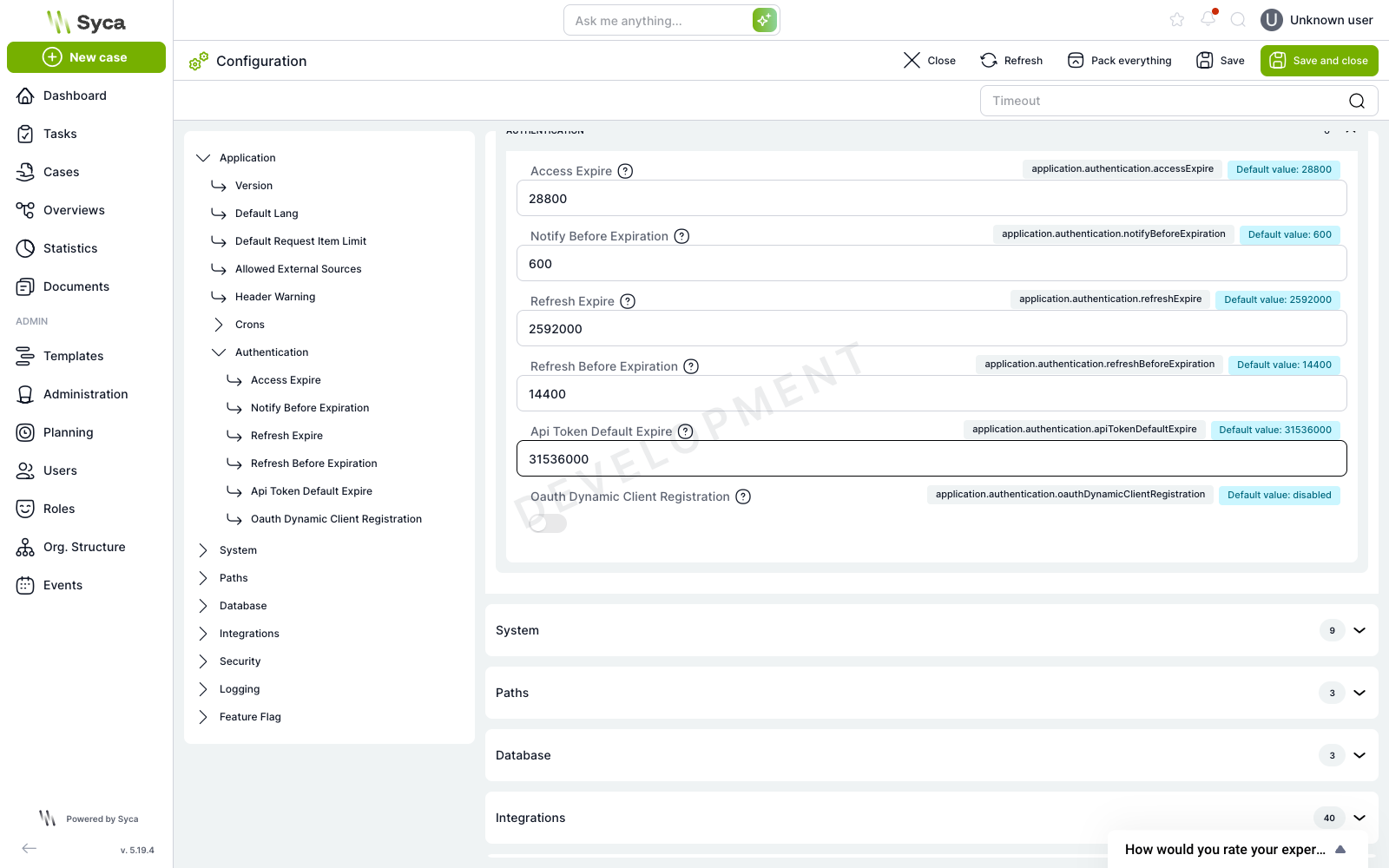
/.well-known/oauth-authorization-server does not contain the registration_endpoint key. Clients use its presence to decide whether to attempt registration, so both are enabled and disabled together.Token lifetimes are set in the same configuration section: application.authentication.accessExpire (default 28800 seconds, i.e. 8 hours) and application.authentication.refreshExpire (default 2592000 seconds, i.e. 30 days). There is no separate configuration block for OAuth.
Overview of granted consents
The OAuth Grants tab shows the administrator all issued consents: the client, the user, creation date, last use, and validity. Revoking a consent disconnects one application for one user.
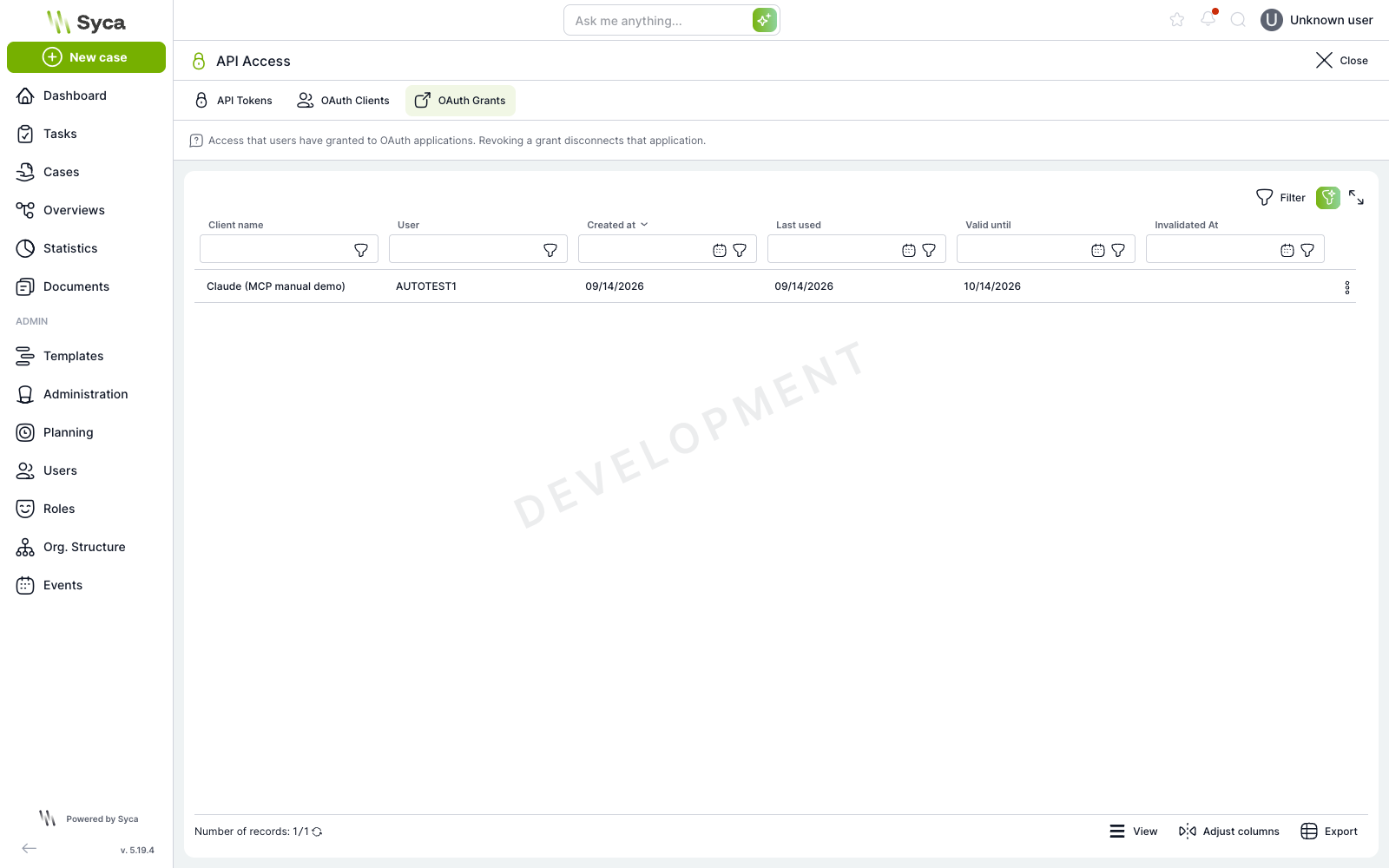
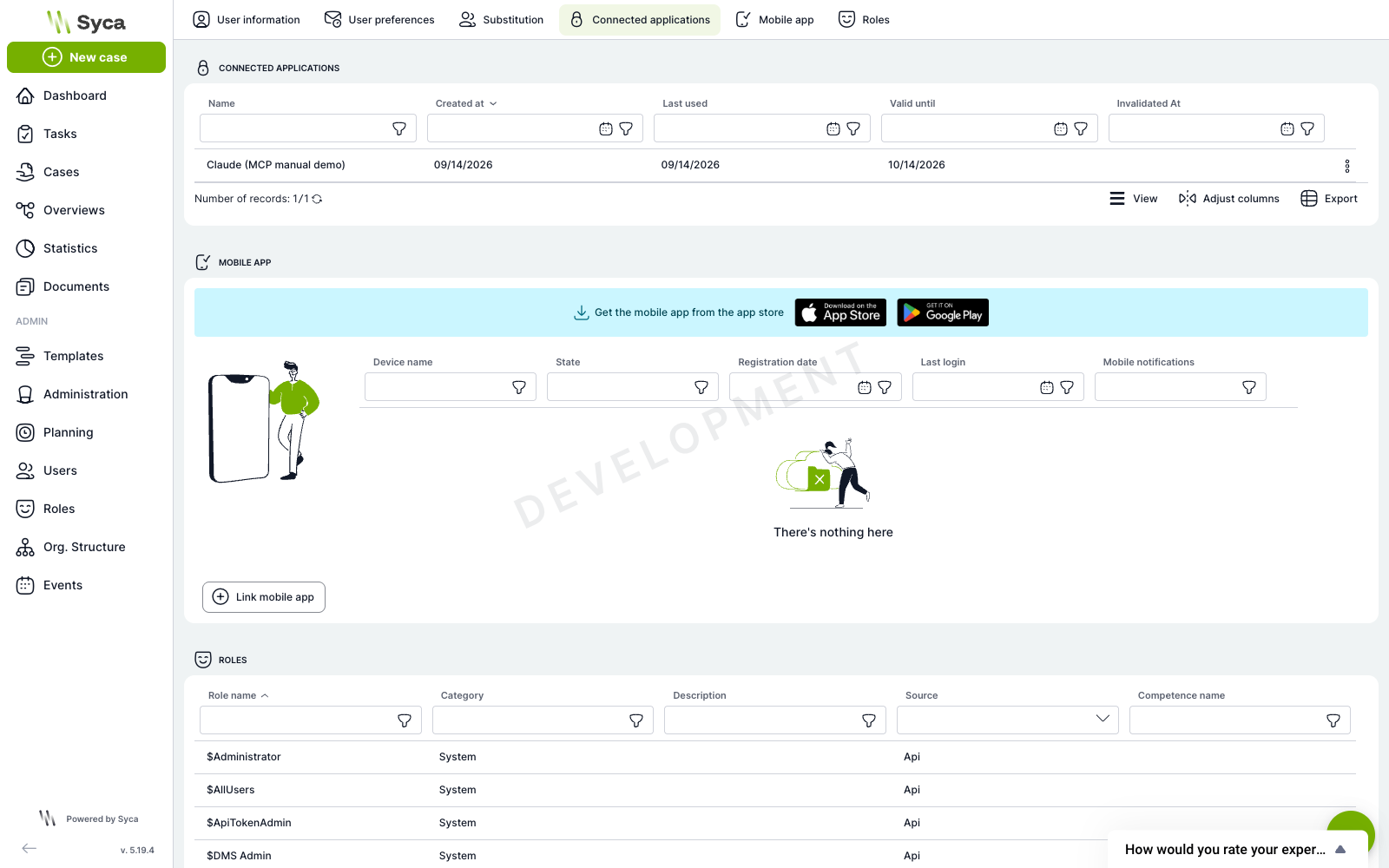
The same list, limited to their own connections, is visible to the user in User settings > Connected applications. Users can revoke their own connections themselves, without an administrator.
Scenarios: narrowing the tool catalog
The bare /mcp exposes all 35 tools. For most tasks that is an unnecessarily broad catalog, in which the model chooses less accurately and wastes context. The optional path segment selects a named subset of collections and also changes the instructions the server reports about itself to the client.
Path | Tools | Purpose |
| 35 | Everything the built-in AI chat has available |
| 9 | Creating cases: what can be started, which fields it requires, validation and creation, backed by knowledge documents |
| 10 | Working with an existing case: lookup via views, manual workflow events, reading and writing task variables |
| 5 | Looking up cases in the user's views only, no writes |
| 5 | Answers from the organization's knowledge documents and from TAS product documentation |
| 4 | Roles of the signed-in user and their previous AI conversations |
| 2 | Inspecting the registry of available plugins |
The scenario is also reflected in the server identity. The /mcp/knowledge endpoint introduces itself as tas-mcp-knowledge with the instruction Answer questions from organization AI documents and TAS product documentation, so the client knows right away what to use the server for.
An unknown scenario is rejected by validation before the MCP layer, so the response is a regular TAS error, not a JSON-RPC error:
{"error":{"message":"params/scenario must be equal to one of the allowed values",
  "error":"Bad Request","status":400,"statusCode":400}}
Tool catalog
Tools are exposed under their bare name without a prefix. The collection they come from is given at the beginning of the description in square brackets, for example [UserRolesTools] .... The readOnlyHint and destructiveHint annotations are derived from the kind of tool.
Collection | Scenarios | Tools |
CreateInstanceProcessTools |
|
|
IdentifyInstanceProcessTools |
|
|
EditInstanceProcessTools |
|
|
AiDocumentsTools |
|
|
UserRolesTools |
|
|
AiConversationTools |
|
|
AvailablePluginsTools |
|
|
HelpDocsTools |
|
|
CaseAiTools | bare |
|
CaseAiTools collection is not part of any scenario and appears only in the bare /mcp. It is written for chat over an open case and works with the case the user is currently viewing. Over MCP, where there is no open screen, it therefore behaves differently than in the application.Tool call example
curl -s -X POST https://<instance>/api/mcp/account \
  -H "Authorization: Bearer $TAS_TOKEN" \
  -H "Content-Type: application/json" \
  -H "Accept: application/json, text/event-stream" \
  -d '{"jsonrpc":"2.0","id":4,"method":"tools/call",
       "params":{"name":"query_user_roles","arguments":{}}}'
Example response
{"result":{"content":[{"type":"text","text":"{ \"items\": [ ... ] }"}],
  "structuredContent":{"result":{"items":[
    {"ROLE_ID":-1,"ROLE_NAME":"$Administrator","ROLE_CATEGORY":"System", ...},
    {"ROLE_ID":-8,"ROLE_NAME":"$AllUsers", ...}],
    "limit":100,"hasMore":false,"nextCursor":null}}}
A tool error is not returned as a JSON-RPC error but as a result with the isError: true flag and a text description, so that the model can react to it.
Connecting clients
Regardless of the client, every request must carry these headers:
Accept: application/json, text/event-stream(both values at once),Content-Type: application/json,Authorization: Bearer <token>.
The MCP-Protocol-Version header is optional. If the client sends it, it must contain a supported value.
Claude Code
Claude Code supports the HTTP transport natively; the token is passed in a header:
claude mcp add --transport http tas \
  https://<instance>/api/mcp/case-lookup \
  --header "Authorization: Bearer $TAS_TOKEN"
Checking the registered servers:
claude mcp listClaude Desktop
Claude Desktop communicates over stdio, so the HTTP endpoint is bridged by the mcp-remote tool. Add the following to the claude_desktop_config.json file:
{
  "mcpServers": {
    "tas": {
      "command": "npx",
      "args": [
        "-y", "mcp-remote",
        "https://<instance>/api/mcp/case-creation",
        "--header", "Authorization: Bearer ${TAS_TOKEN}"
      ],
      "env": { "TAS_TOKEN": "eyJhbGciOi..." }
    }
  }
}--header parameter, mcp-remote starts OAuth instead of using a static token: TAS responds with 401 and a discovery challenge, a browser opens with the consent screen, and the client obtains the token on its own. This requires a registered public client or enabled dynamic registration.claude.ai (custom connector)
In the connector settings, simply enter the address https://<instance>/api/mcp. Claude downloads the discovery documents, registers itself, and sends the user to the TAS consent screen.
MCP Inspector
For debugging and inspecting the tool catalog:
npx @modelcontextprotocol/inspectorIn Inspector, choose the Streamable HTTP transport, enter the endpoint address, and add Authorization: Bearer <token> to the headers.
Permissions and limitations
Programmatic token only
The endpoint accepts only tokens of type api or oauth. A regular browser session token is rejected as UNAUTHORIZED, so MCP cannot be called from a signed-in user session. An unauthenticated request receives 401 together with a challenge that leads the OAuth client to discovery:
www-authenticate: Bearer resource_metadata=
  "https://<instance>/api/.well-known/oauth-protected-resource/mcp"
Permissions are the user's roles
A tool runs in the user session of the user the token belongs to and sees exactly what that user would see in the application. Roles are evaluated at the time of the call, not when the token is issued. For a public OAuth client this is the specific person who granted consent; for an API token and a confidential client it is the paired system user.
Write tools execute immediately
destructiveHint annotation is only a notice for the client. In practice this means that create_case_from_schema, invoke_case_hand_event, update_task_variables, and trigger_case_event change data without an intermediate step. For untrusted or experimental deployments, use the case-lookup or knowledge scenario, which contain no write tools.Speed of access revocation
An invalidated API token stops working immediately. For OAuth, the grant validity is checked against the database at a short interval, on the order of a minute. Revoking a consent, disabling a client, and detecting a reused refresh token therefore cut off all issued access tokens within this window, not only upon their expiration.
No server-side timeout
The server has no response timeout of its own. Cancellation or a time limit is deliberately left to the MCP client.
Call auditing
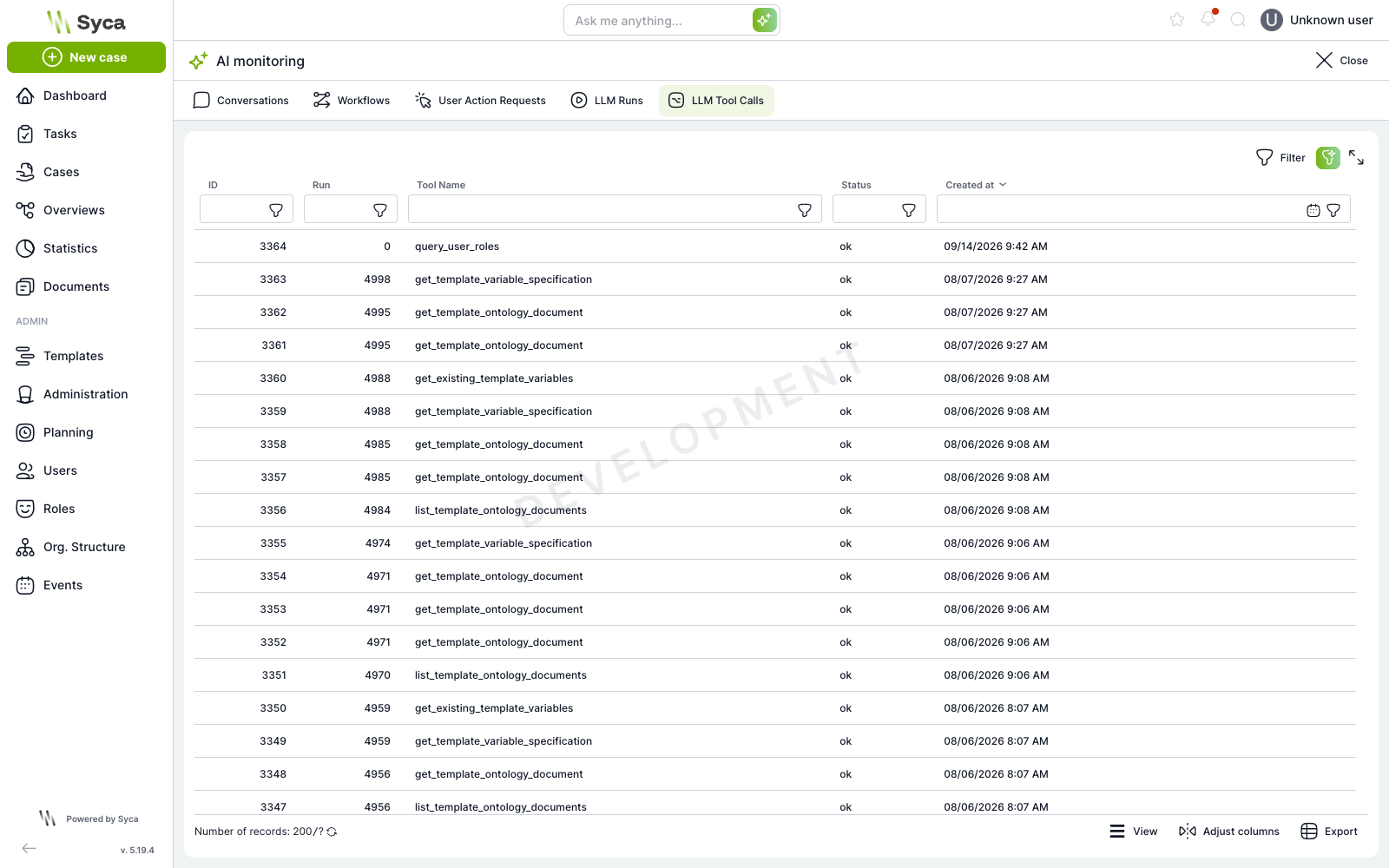
Every tool call is written to the AI_LLM_TOOL_CALL table with the source flag mcp, together with the user and the collection. A successful record is created within the same transaction as the tool's work, so either both go through or neither. A failed record is written outside the transaction, so the information about the failure persists even after a rollback.
Records can be viewed in Administration > AI monitoring > LLM Tool Calls (/administration/ai-observability/llm-tool-calls).
Revoking access
What to revoke | Where | Action and impact |
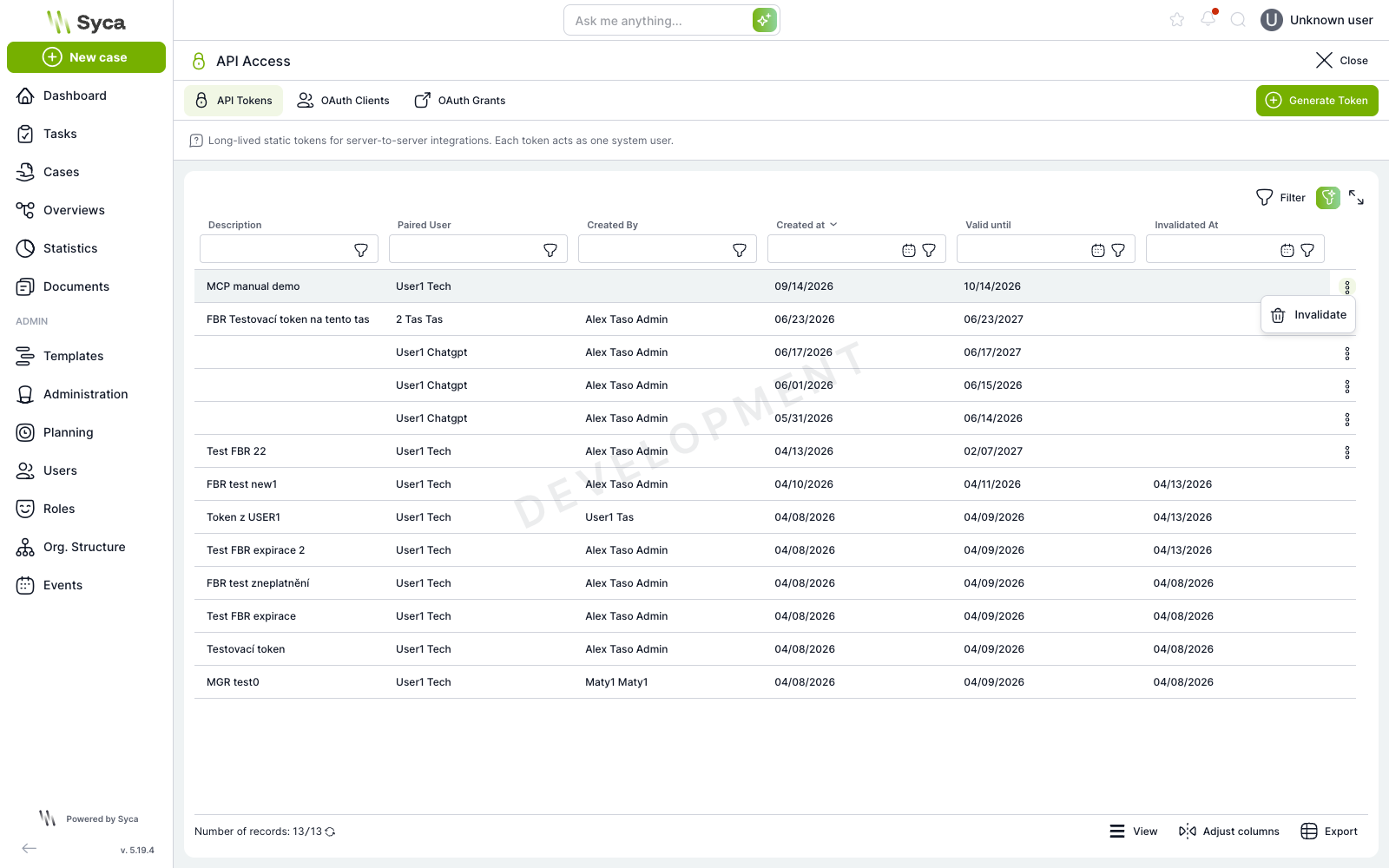
API token | API Access > API Tokens | Invalidate. The token is not deleted; it receives an invalidation date and stops working immediately. |
Entire OAuth client (reversibly) | API Access > OAuth Clients | Disable. A reversible flag that revokes all of the client's grants at once. |
Entire OAuth client (irreversibly) | API Access > OAuth Clients | Delete permanently. Deletes the client and its grants. Reserved for superadministrators. |
One user consent | API Access > OAuth Grants | Grant revocation. Disconnects one application for one user. |
Own connection | User settings > Connected applications | The user revokes their own connection themselves, without an administrator. |
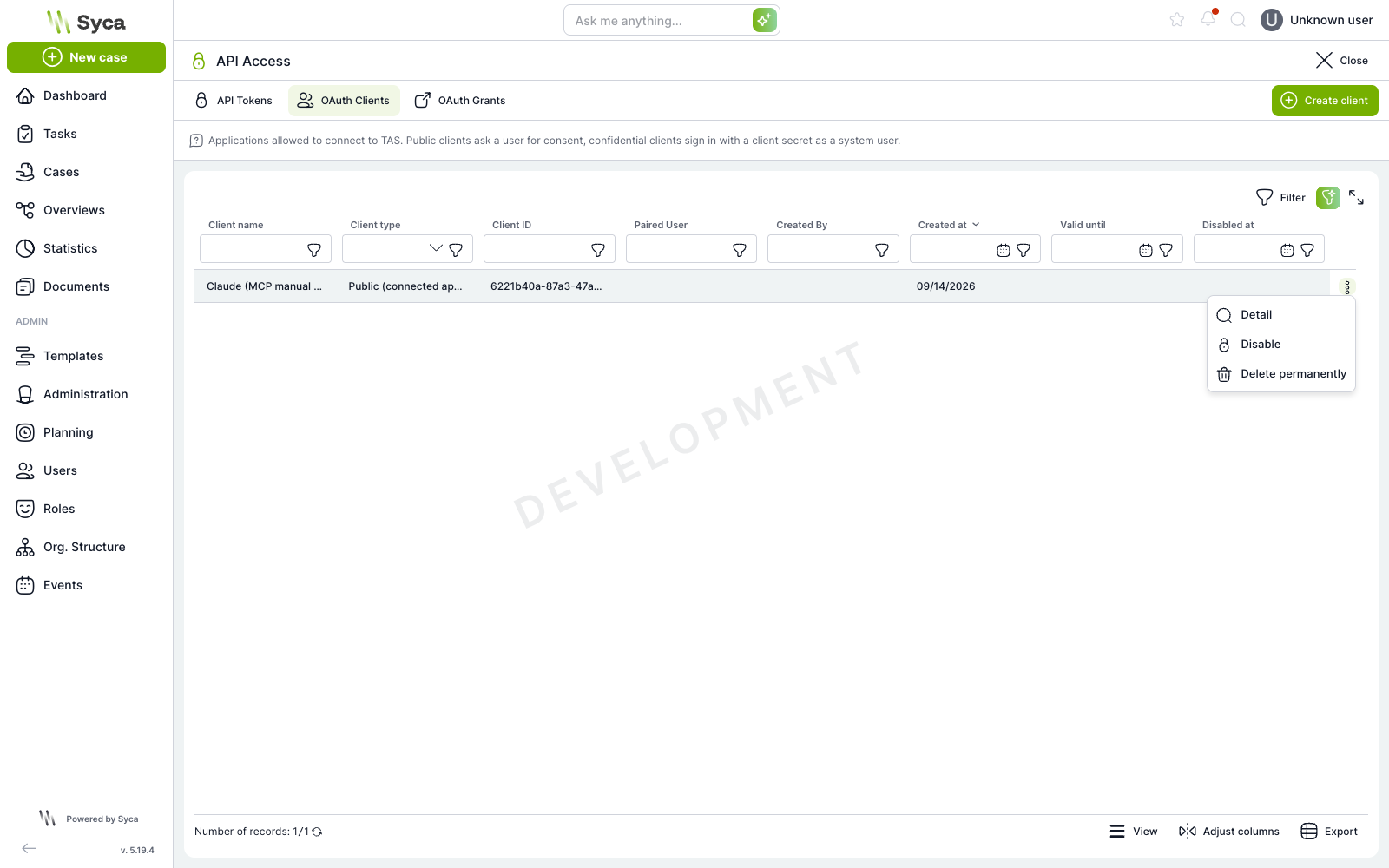
API Token Administrator role allows disabling a client, but not deleting it permanently. Permanent deletion is reserved for superadministrators.Troubleshooting
Response | What it means | Fix |
| The token is missing, invalid, invalidated, or it is a browser session token | Send a valid API token or OAuth access token in the |
| Client must accept both application/json and text/event-stream | Add the header |
| Unsupported protocol version | Send an |
| params/scenario must be equal to one of the allowed values | Typo in the scenario name; the allowed values are in the scenarios table |
| A batch of JSON-RPC messages (not supported) or a body that is not JSON-RPC | Send one message per request |
|
| The server is stateless and handles only |
Code | Unknown tool, or the arguments failed validation against the JSON schema | Reload |
| The client is looking for | Verify |
| Dynamic client registration is disabled | Enable it in the configuration, or create the public client manually |
| Exceeded limit of 60 requests per minute per IP for | Reduce the frequency. Typically happens when repeatedly debugging the OAuth flow in a loop |