User guide
Quick Start Guide
Dashboard
Overviews
Case detail (Caseoverview)
Case - event
Tasks
Case notes
Documents
User settings
Favorites
Table component
FAQ
News/Announcements in Team assistant
Mobile app settings
Administrator Guide
Platform guide
Administration
Crons
Authentication and Synchronization
Mobile App Setup for Your Environment
Scheme
Dynamic tables
Archiving
Scripts
Service console
Scheduled Tasks
HR Agenda
Sequences
CSP Headers
Logs
Access Token Settings & Session Expiration
Template
Roles
Connecting to a different database
Diagnosing services
Hyper-V: Isolated NAT Network with Port Forwarding
Planning
Users
Organizational structure
Events
Translations
NFC Integration
AXIOS API
Axios with Vault
Axios with SSL Certificate
Calculations & Functions
Integrations
MS Graph
ISDOC.PDF
DocuSign
TAS call module - TAS 2 TAS (process creation via API)
DB View
API tokens - application access
TAS Forms
TAS Forms
Activating the module on the environment
TAS Forms - secret creation guide for Docker Swarm
Advanced Features & Tips
Product
Technical Changelog
Business Changelog
Version Upgrade Guide
Upgrade to v5.19
Upgrade to TAS 5.19 - Key Changes and Removed Features
Upgrading TAS 5.17 to 5.19 – Technical Part (DevOps)
Upgrate to v5.17
Upgrade to TAS 5.17 - Key Changes and Removed Features
Asset Migration from FE to Backend (5.17 Upgrade) — DevOps
Upgrading to v5.7
Lodash upgrade v4.17.x (>v5.5)
Main changes and deprecated features (v5.3 > v5.7)
Highlighting variables in Read-only status (>v5.7.58)
Upgrading to 5.3
Dynamic conditions migration
PDF printing adjustment
Editing Task Description vs Task Instructions
Transpiling forEach to a for loop
Rendering HTML on Caseoverview
Differences between TAS4 and TAS5 - a complete overview
Best Practices for Upgrading from v4 to v5
Using validation functions
Technical details
Server prerequisites
Security and Data Protection
Security
TAS Operations Runbook
Technological architecture
News / Important information
Getting Started
- All Categories /
- Administrator Guide
- Integrations /
- API tokens - application access
API tokens - application access
API tokens (available from version v5.17) enable B2B access to the TAS API without logging in via a user account. They are used to integrate external systems or automated scripts that need to call the TAS API under the identity of a specific system user.
The token is sent in the header of every request:
Authorization: Bearer <token>
Where tokens are managed
Administration → API Tokens
How to generate a token
- Go to Administration → API Tokens.
- Click the Generate Token button.
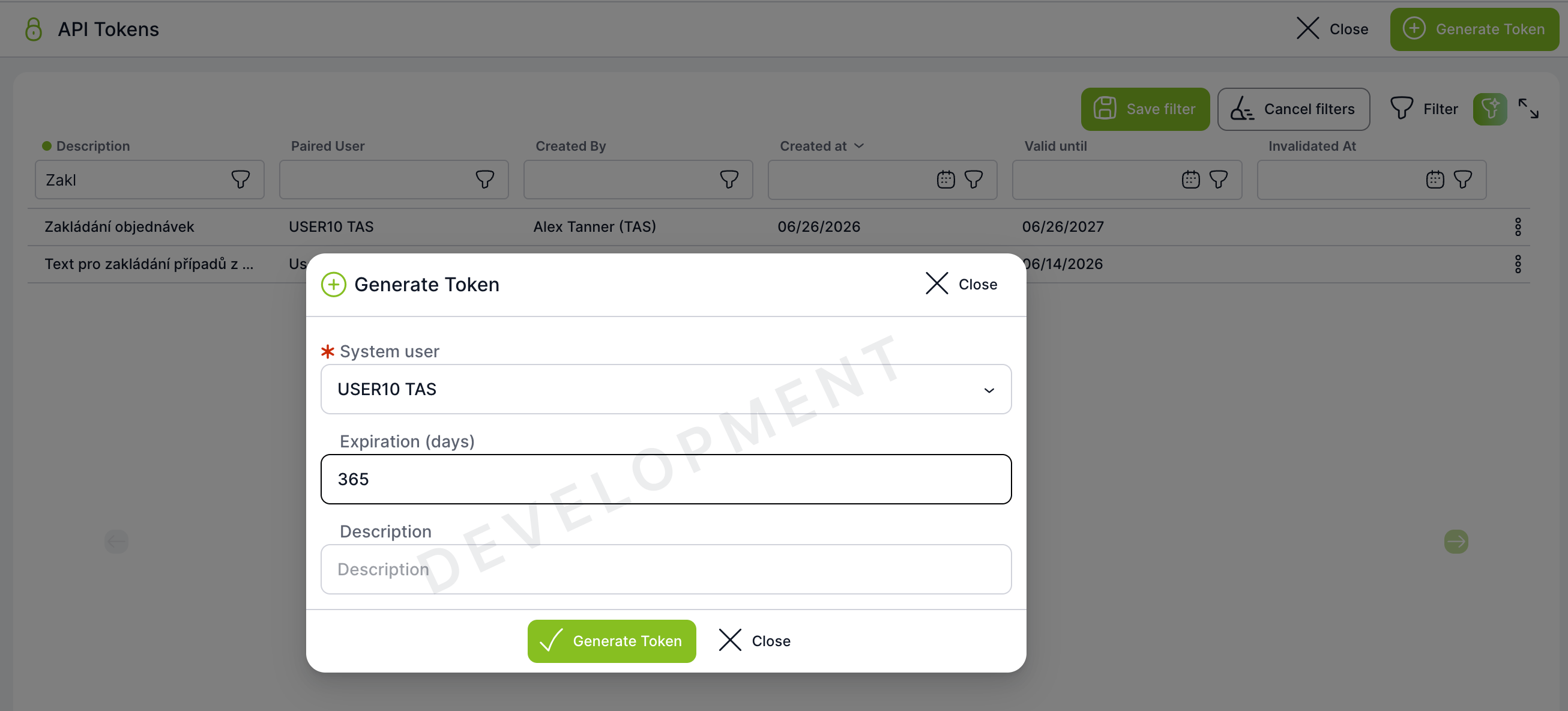
- Fill in the form:
- System User (required) — the system user under whose permissions the token will operate,
- Expiration (days) (optional) — token validity in days (e.g.
365); if left empty, the token never expires, - Description (optional) — description of the token's purpose, max. 500 characters.
- Click Generate Token.
- The token is displayed — copy it immediately.
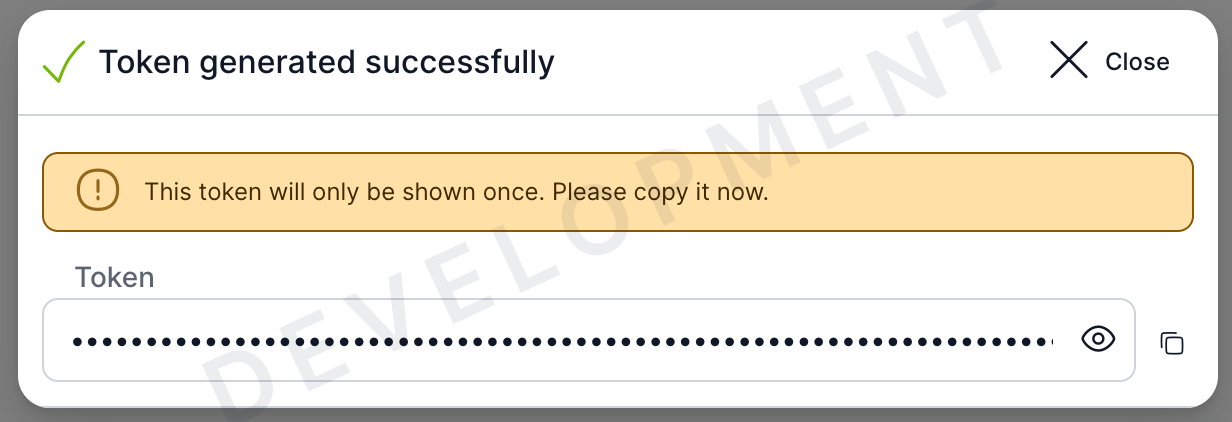
Managing existing tokens
The table shows all tokens, including the following details:
- who created the token,
- which user the token is bound to,
- the creation and expiration date,
- whether the token has been invalidated (
Invalidated at).
A token can be invalidated by its creator or by a superadmin.
Important
- The token is bound to a system user (not to the logged-in consultant) — API permissions correspond to that user's rights.
- Invalidating a token cannot be undone — you must generate a new one.
- Never share a token over unsecured channels.