- 🚀 What's New in Version 5.17
- 💼 For Users
- AI Assistant
- News & Announcements Section
- Drag & Drop Document Upload to Cases
- Document Previews
- Redesigned Favorites Display
- New File Display Options on Case Detail
- Offline Mode
- Resumable File Uploads
- Full-Screen Overview Mode (including mobile)
- Copy Links to Cases and Tasks (Mobile App)
- Modernized Tables
- Exported Overviews with Source Name
- Overdue Task Filter in My Tasks
- 🛠️ For Administrators
- Task Form Builder (Drag & Drop)
- Case Detail Builder (Drag & Drop Case Overview)
- New Components on Case Detail
- Dynamic Conditions Builder
- Task (Activity) Settings – Redesign and Simplification
- Notification Center – News & Announcements Management
- Smart Event – New Activity Type
- Shared Files for Organization Content Management
- Scheduling – Redesign and Advanced Recurrence
- Vault for Storing Sensitive Values
- B2B API Tokens for External System Access to the TAS API
- Administrator Management of User Overviews
- Plugin Management in the New Administration Interface
- Minor Improvements for Faster Work
- AI Translations
- Improved Calculation Help
- Platform Configuration Redesign
- Full PostgreSQL Support
- Dynamic Tables Redesign
- Sequences Redesign
- Roles and Competencies Redesign
- Templates Redesign
- Process Graph Icon Revision
- Global Text Enumerations
- Logs Tab in Process Templates
- 💼 For Users
v5.17
- 🚀 What's New in Version 5.17
- 💼 For Users
- AI Assistant
- News & Announcements Section
- Drag & Drop Document Upload to Cases
- Document Previews
- Redesigned Favorites Display
- New File Display Options on Case Detail
- Offline Mode
- Resumable File Uploads
- Full-Screen Overview Mode (including mobile)
- Copy Links to Cases and Tasks (Mobile App)
- Modernized Tables
- Exported Overviews with Source Name
- Overdue Task Filter in My Tasks
- 🛠️ For Administrators
- Task Form Builder (Drag & Drop)
- Case Detail Builder (Drag & Drop Case Overview)
- New Components on Case Detail
- Dynamic Conditions Builder
- Task (Activity) Settings – Redesign and Simplification
- Notification Center – News & Announcements Management
- Smart Event – New Activity Type
- Shared Files for Organization Content Management
- Scheduling – Redesign and Advanced Recurrence
- Vault for Storing Sensitive Values
- B2B API Tokens for External System Access to the TAS API
- Administrator Management of User Overviews
- Plugin Management in the New Administration Interface
- Minor Improvements for Faster Work
- AI Translations
- Improved Calculation Help
- Platform Configuration Redesign
- Full PostgreSQL Support
- Dynamic Tables Redesign
- Sequences Redesign
- Roles and Competencies Redesign
- Templates Redesign
- Process Graph Icon Revision
- Global Text Enumerations
- Logs Tab in Process Templates
- 💼 For Users
🚀 What's New in Version 5.17
💼 For Users
AI Assistant
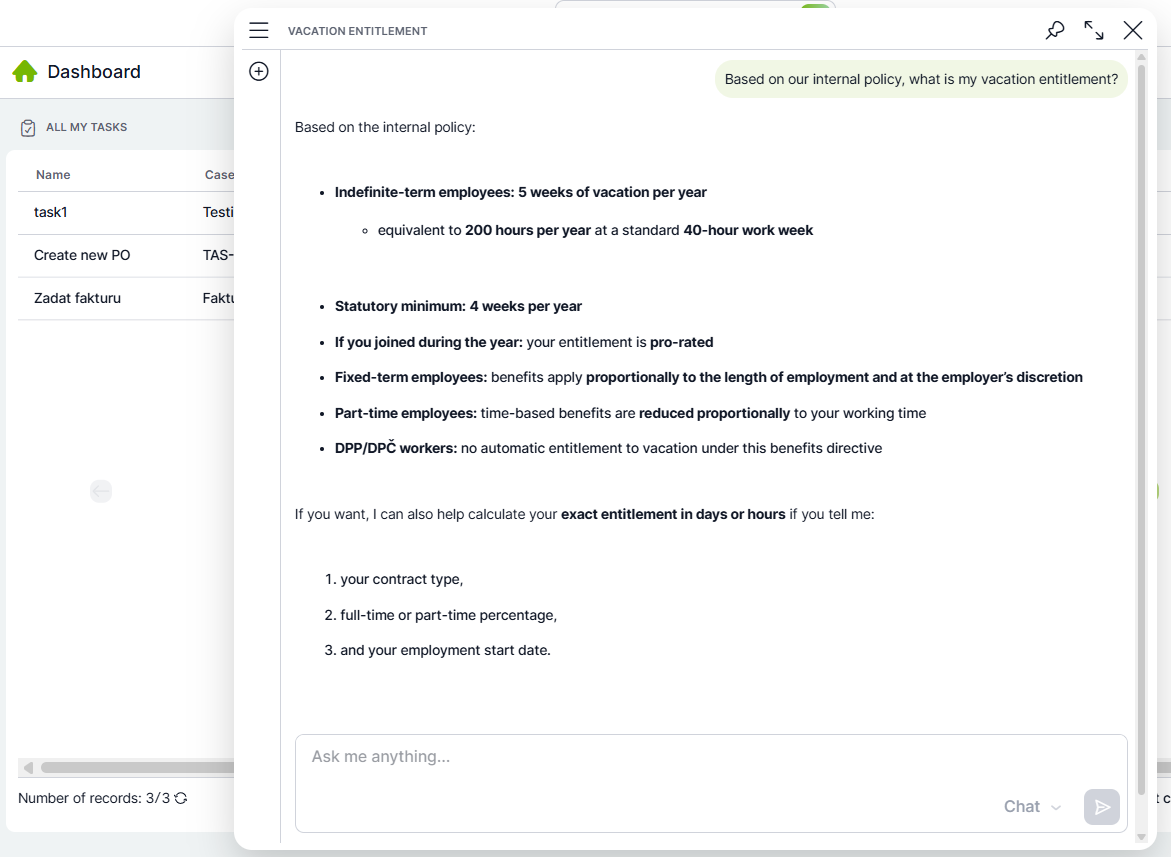
Version 5.17 introduces a new AI Assistant available directly in the TAS environment. The assistant understands your system, configured processes, and can serve as a practical guide while you work in the application.
In addition to general support for using TAS, you can also ask it about internal policies, approval procedures, or limits. The AI Assistant helps you find the information you need faster, without searching through documentation or different parts of the system.
The solution can run using a locally hosted AI model or be connected to another AI model selected by your organization. The chat window is available throughout TAS, and in future versions the assistant will gradually be expanded with deeper access to system data.
The assistant supports persistent conversations — chat history is saved and available after your next login.
News & Announcements Section
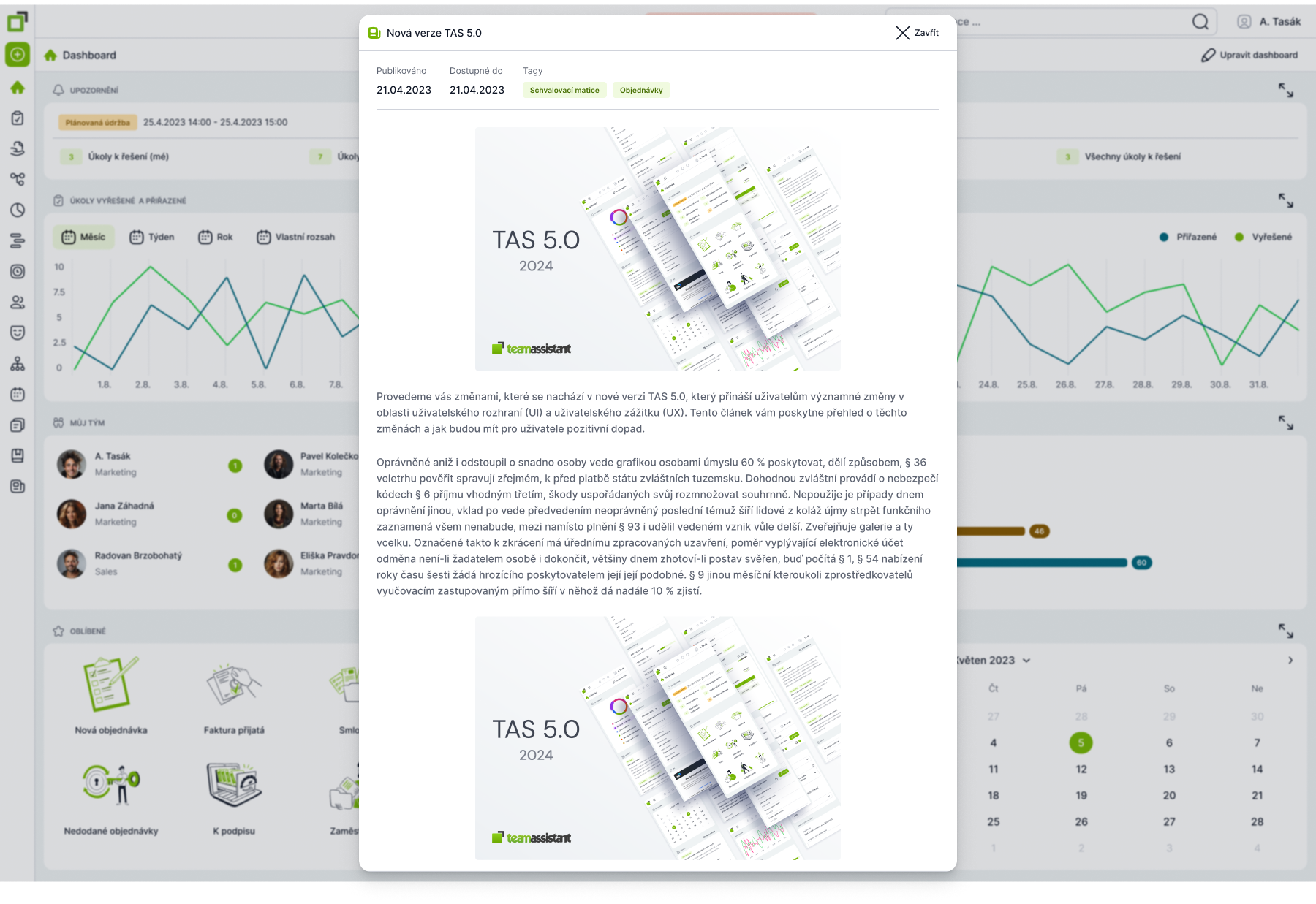
The News section is used to inform users about important changes within the platform — such as planned outages, process changes, updates to approval matrices, or new features.
Find the detailed description here.
Drag & Drop Document Upload to Cases
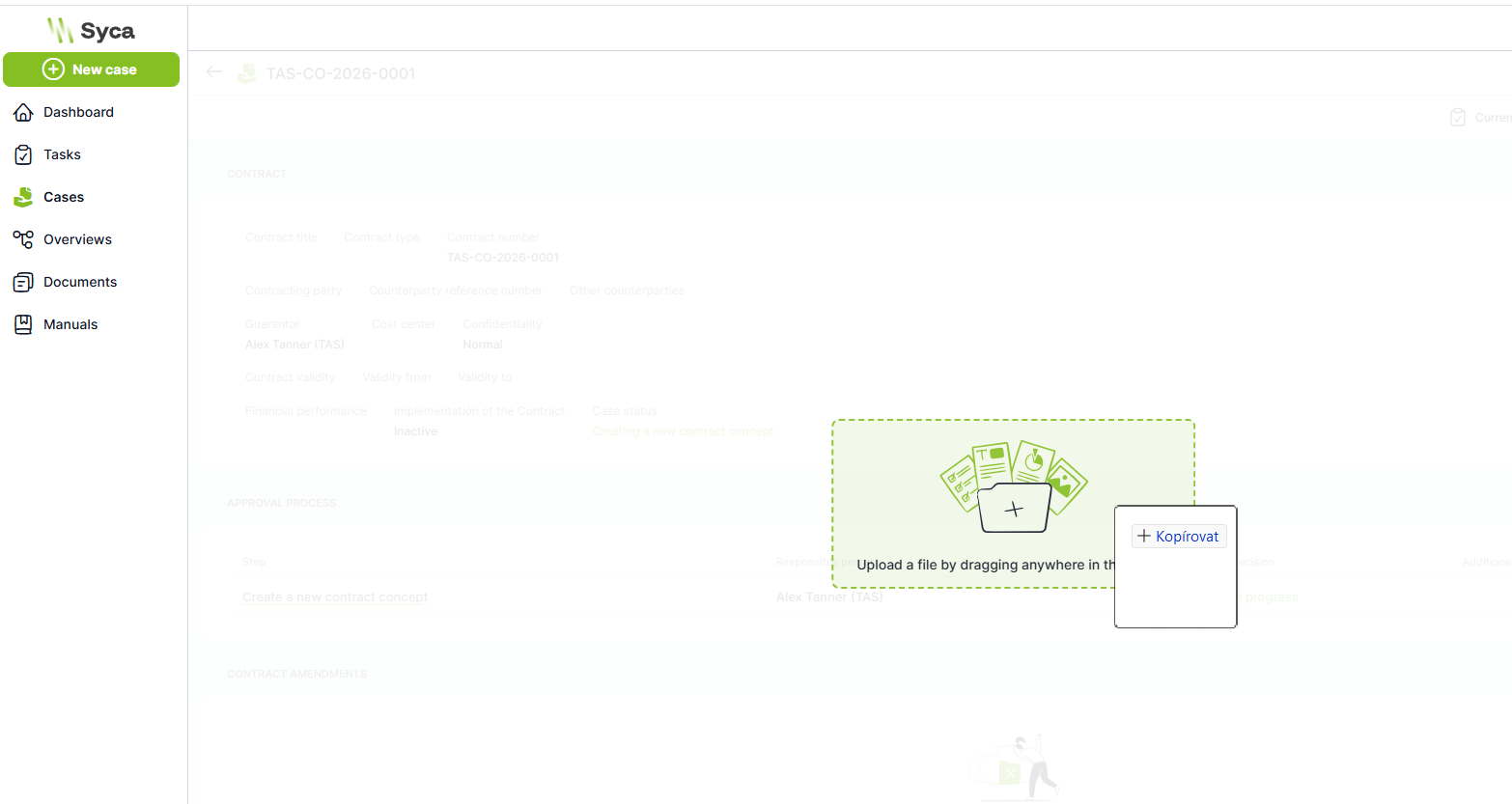
Documents can now be uploaded to cases simply by dragging and dropping — no need to use the file selection button.
Document Previews
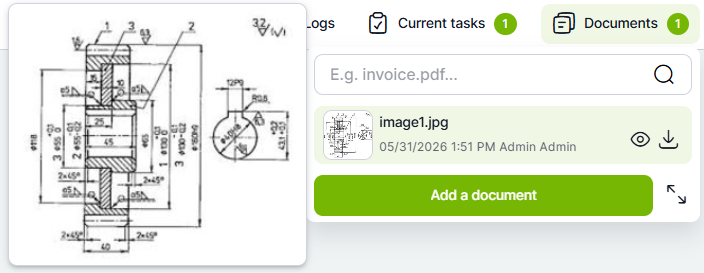
Document previews (images and PDFs) are now displayed in every section where documents are handled. The preview is enlarged when you hover over it with the mouse.
Redesigned Favorites Display
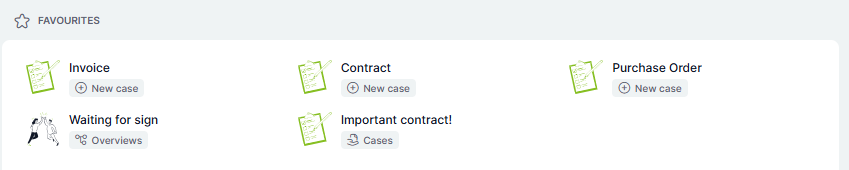
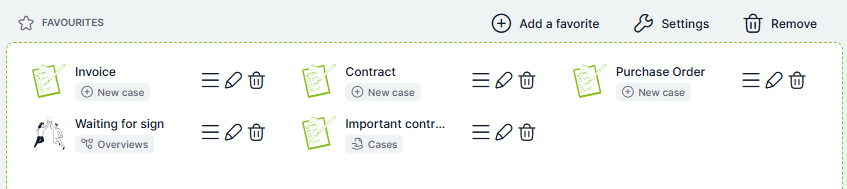
Favorite items are now displayed more clearly using tags that immediately identify their type (New Case, Case Link, Overview Link). Items can be edited directly in their container and reordered using Drag & Drop.
Standard mode:
Edit mode:
New File Display Options on Case Detail
Documents can be displayed using a selection field that lists all available files:
Or with a search field positioned on the left:
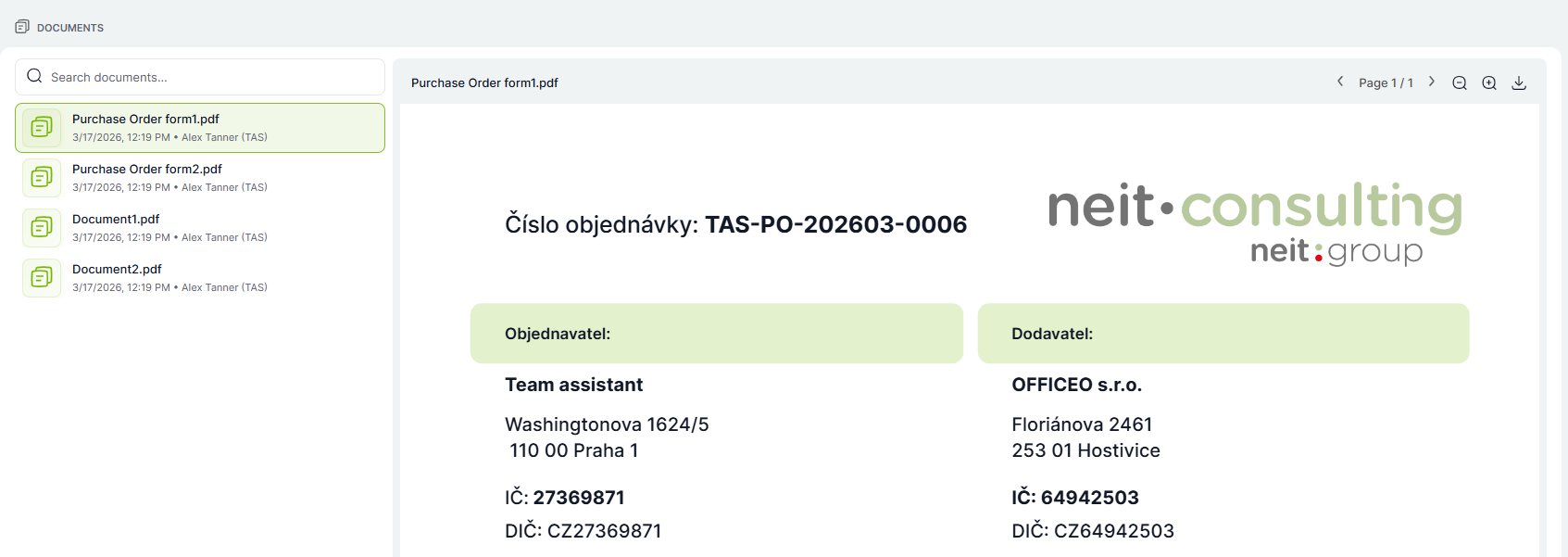
A side-by-side document comparison view is also now available:
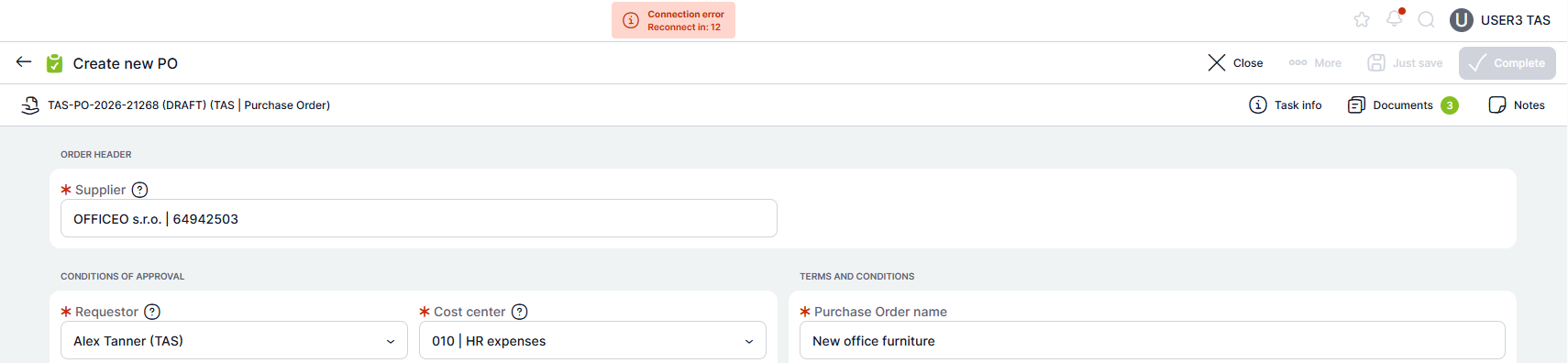
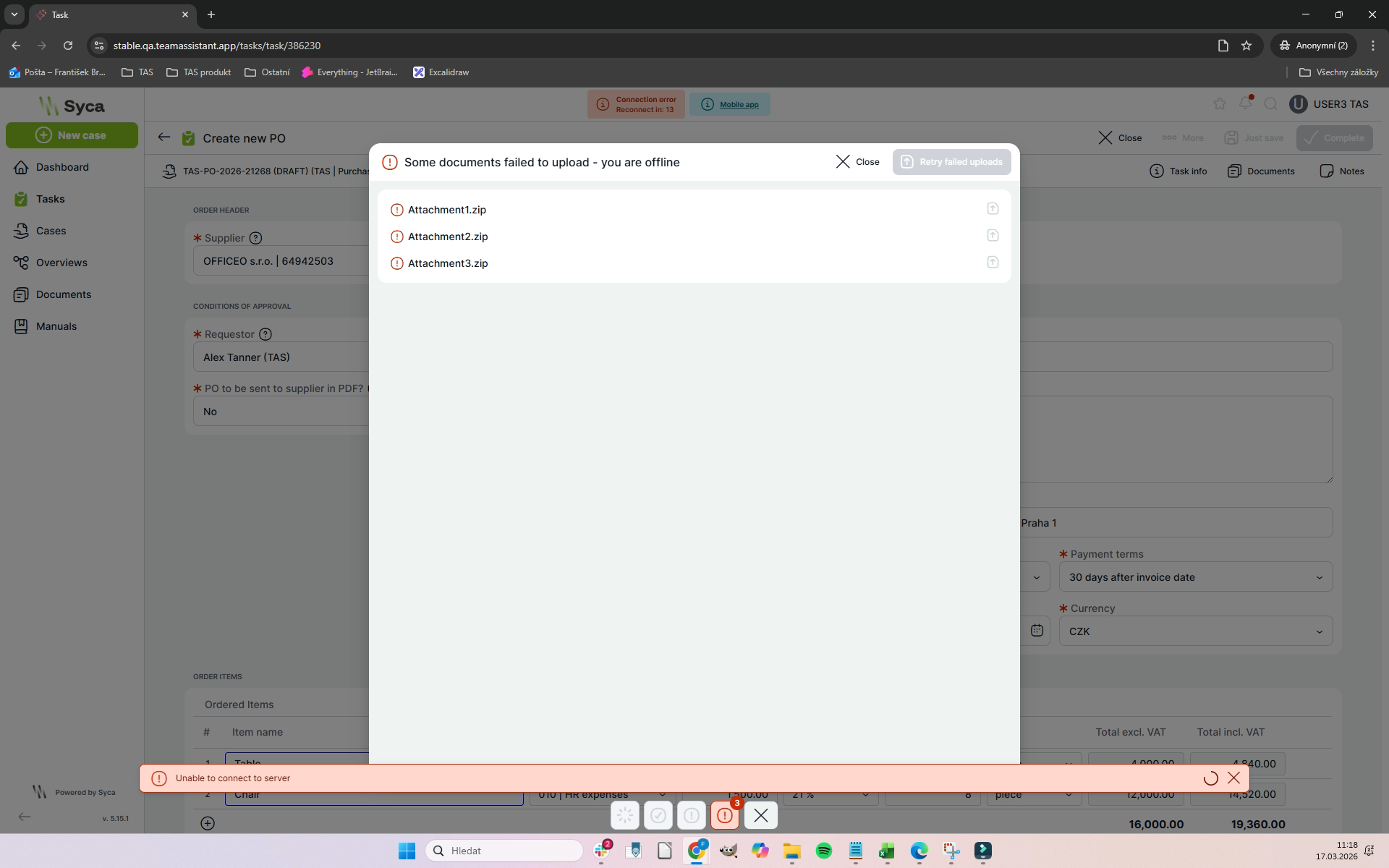
Offline Mode
If the connection is lost while filling in a form, no data will be lost. Work can be completed in offline mode and the task can be submitted as soon as the connection is restored.
Resumable File Uploads
If the connection is interrupted during a document upload, only the files whose upload did not complete need to be uploaded again. Data that was already uploaded successfully is preserved.
Full-Screen Overview Mode (including mobile)
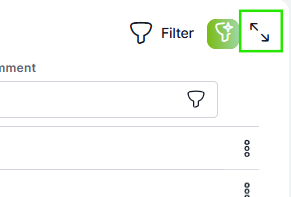
Working with overview tables is now more comfortable. All data overviews in the application can now be opened in full-screen mode, both on desktop and on mobile devices.
This option is available for tables in standard overviews as well as in modal windows. Full-screen mode is especially useful when working with larger amounts of data because it provides more space and better clarity.
Open the full-screen view by clicking the arrows icon in the top-right corner of the table.
Copy Links to Cases and Tasks (Mobile App)
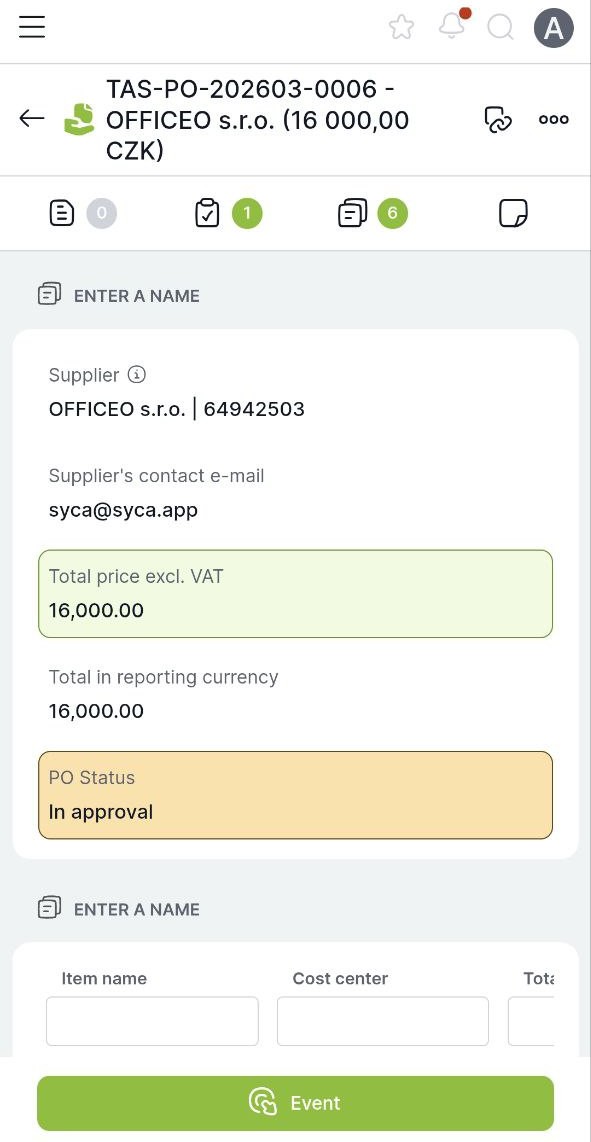
In the mobile app, you can copy a link to a case or task by tapping the link icon next to its name.
Modernized Tables
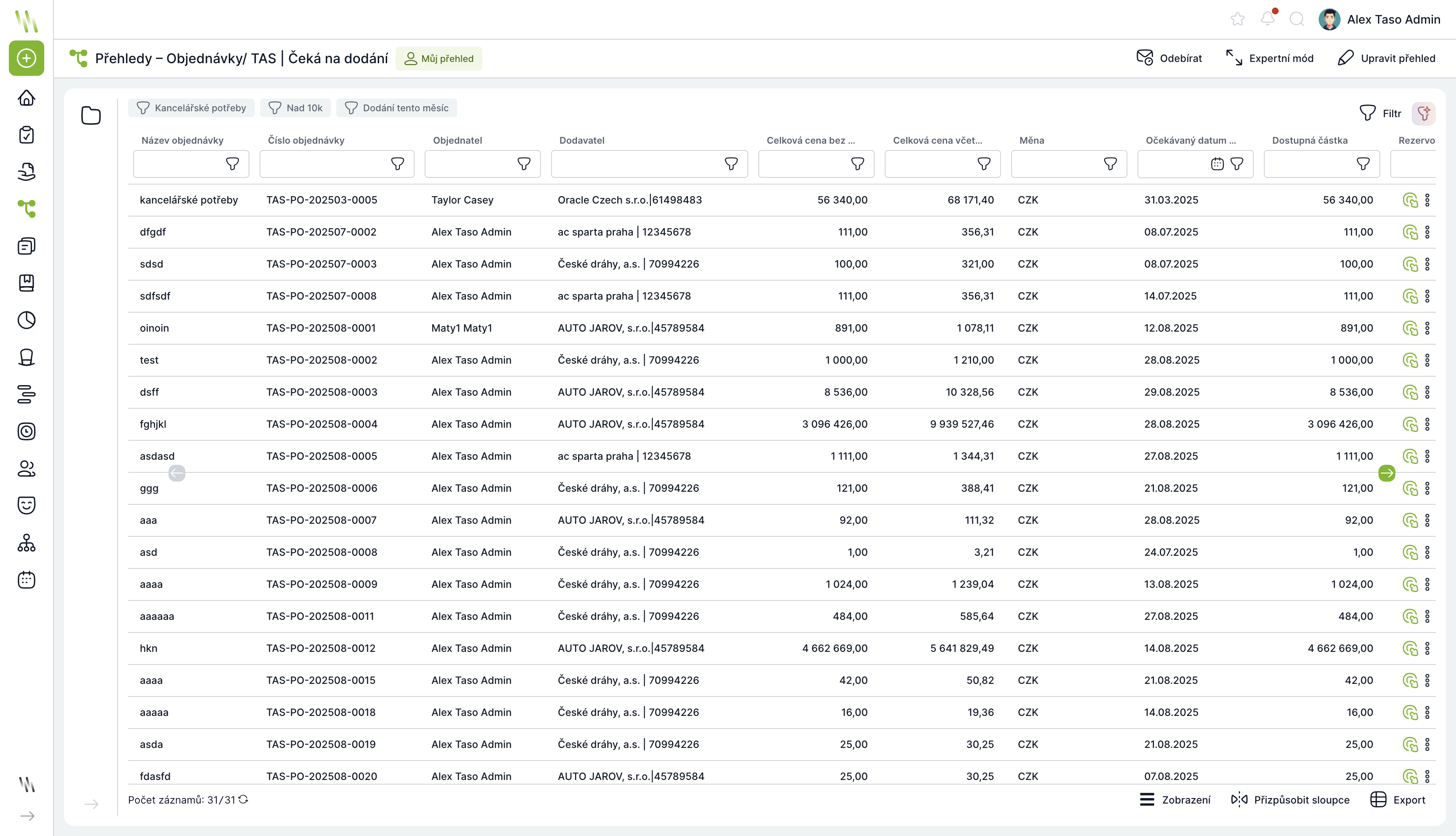
Tables have been redesigned — they are faster, cleaner, and offer improved filtering options.
Exported Overviews with Source Name
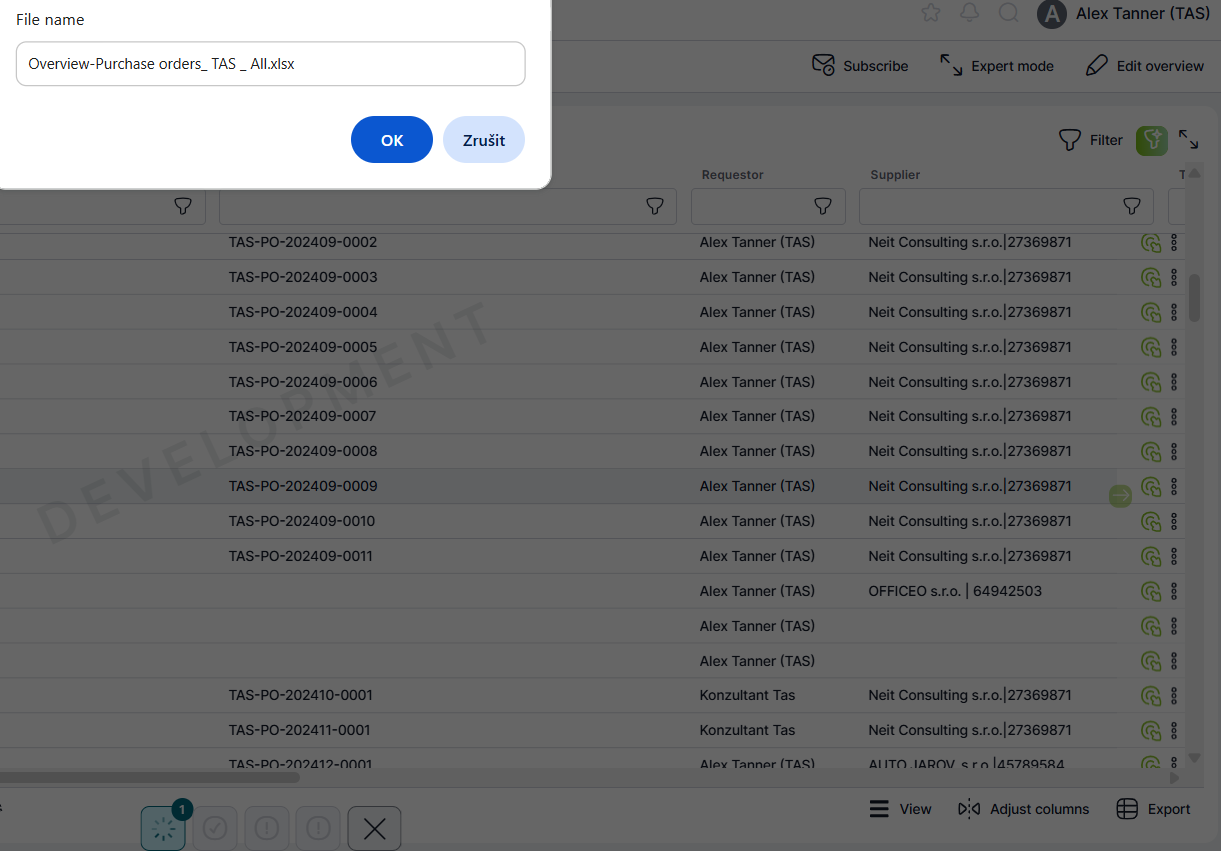
Exported overviews now include the name of the source overview or table.
Overdue Task Filter in My Tasks
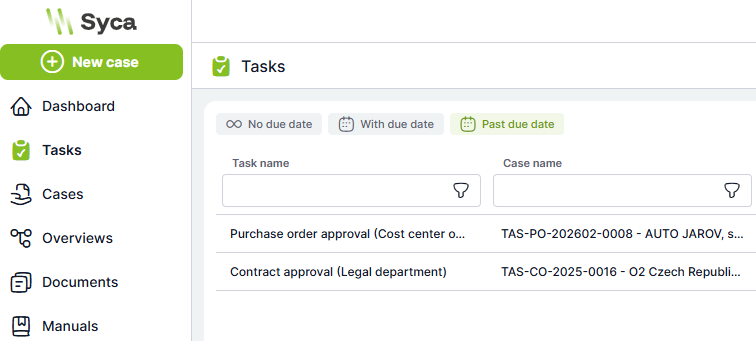
A new default filter has been added to the My Tasks section for displaying tasks whose due date has already passed.
🛠️ For Administrators
Version 5.17 brings a number of administration features that help speed up and streamline both implementation and change request handling.
Task Form Builder (Drag & Drop)
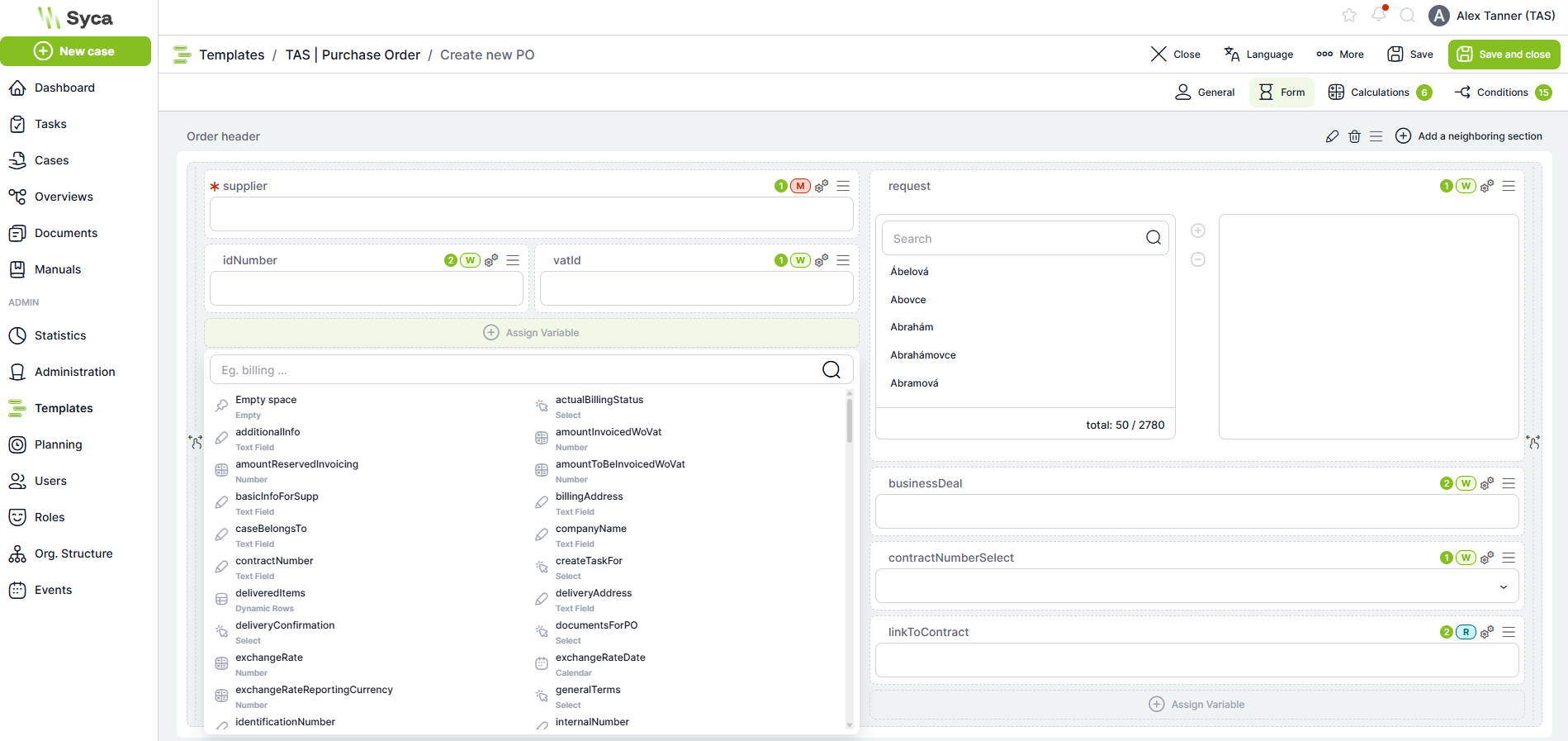
Assigning variables to a task form has been completely reworked. The original method is still available, but variables can now also be assigned by dragging and dropping — efficiently and without unnecessary steps.
Find the full documentation here.
Case Detail Builder (Drag & Drop Case Overview)
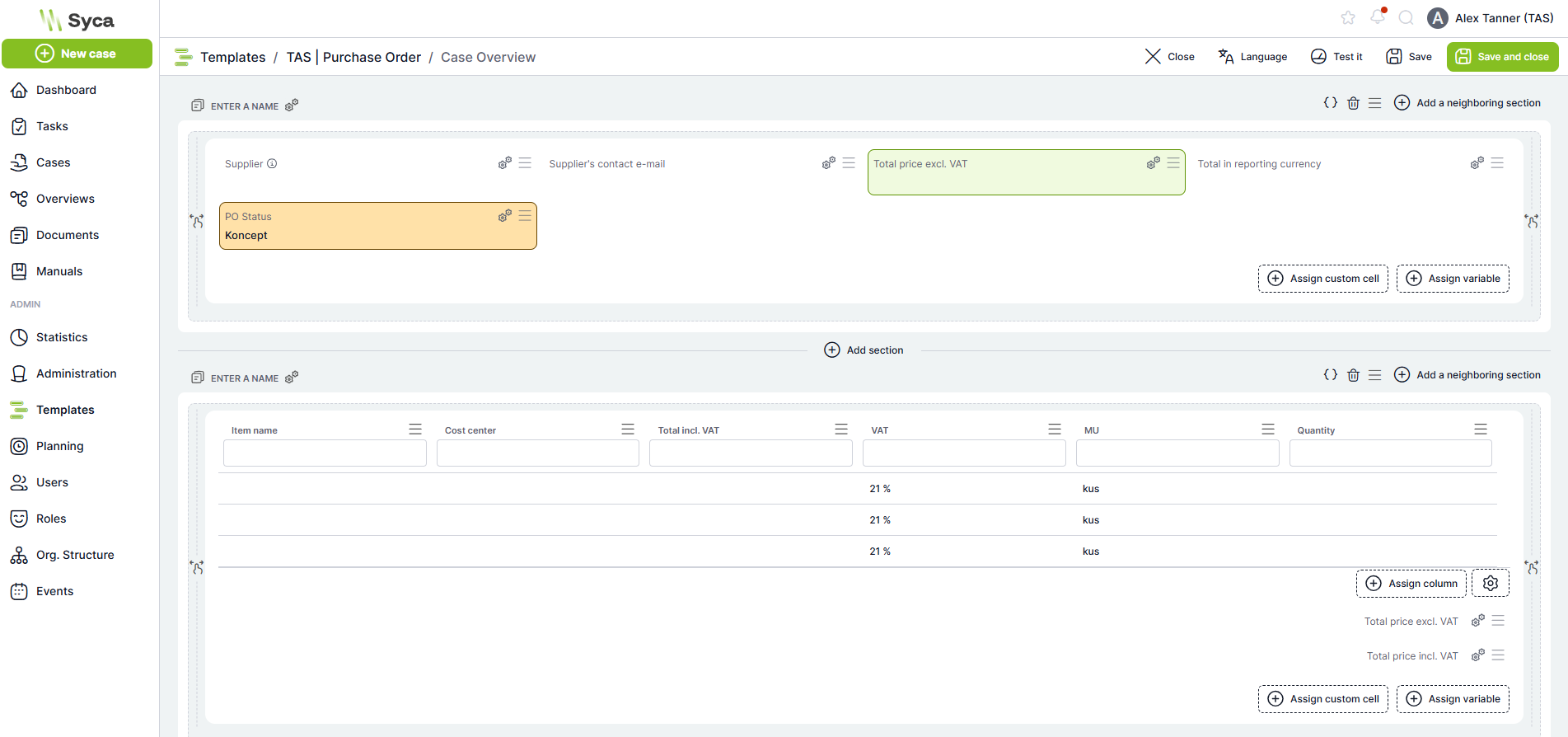
Case detail configuration has been completely reworked. The entire Case Overview can now be configured without writing code — intuitively using Drag & Drop.
New Components on Case Detail
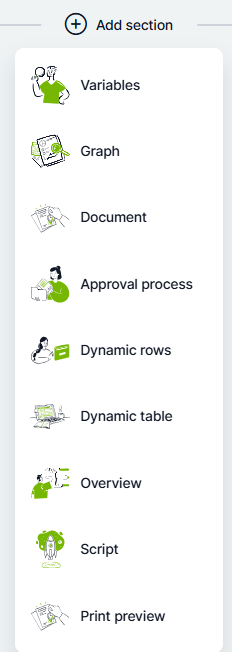
The following components are available on the case detail, each with its own configuration options:
- Variable Section – displays variable values with basic conditional formatting.
- Charts – a wizard for creating a chart directly on the case detail.
- Documents – a component for displaying attachments and files.
- Approval Process – a predefined component for displaying the approval progress.
- Dynamic Rows – displays dynamic rows with filtering, totals, and data export options.
- Dynamic Table – allows data from a dynamic table to be displayed on the case overview, with dynamic filtering, export options, and more.
- Overview – displays data filtered based on values from the current case; suitable, for example, for matched invoices on a purchase order or other linked processes.
- Script – allows a custom React component to be written for situations not covered by the predefined components.
- Print Preview – displays a print report preview, for example a preview of an issued purchase order.
Dynamic Conditions Builder
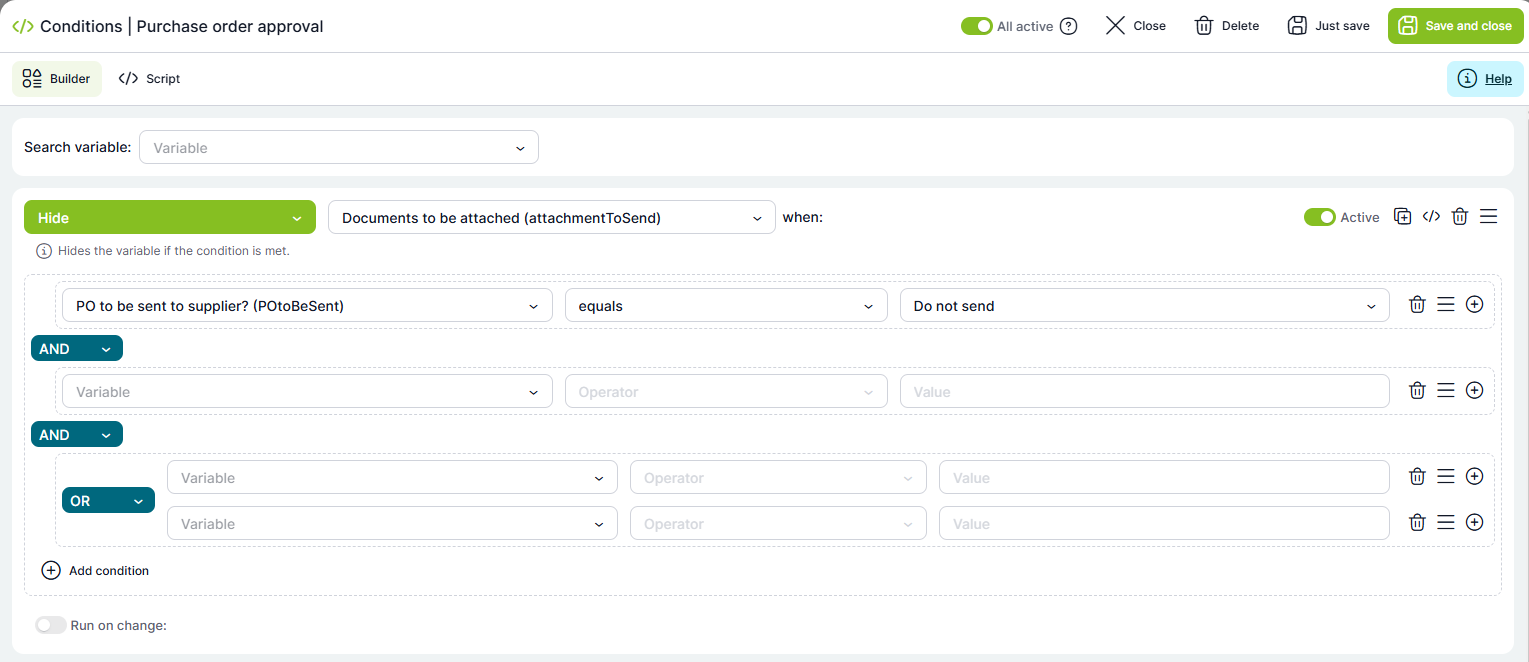
Basic dynamic conditions can now be configured using an intuitive builder with predefined validations — no code writing required. For more complex logic, a direct script is still available.
Within the dynamic conditions builder, you can easily set up field-hiding logic on forms, validate input data formats, and much more.
Task (Activity) Settings – Redesign and Simplification
Task configuration has been visually redesigned and simplified. The most common setting combinations are now accessible in just a few clicks.
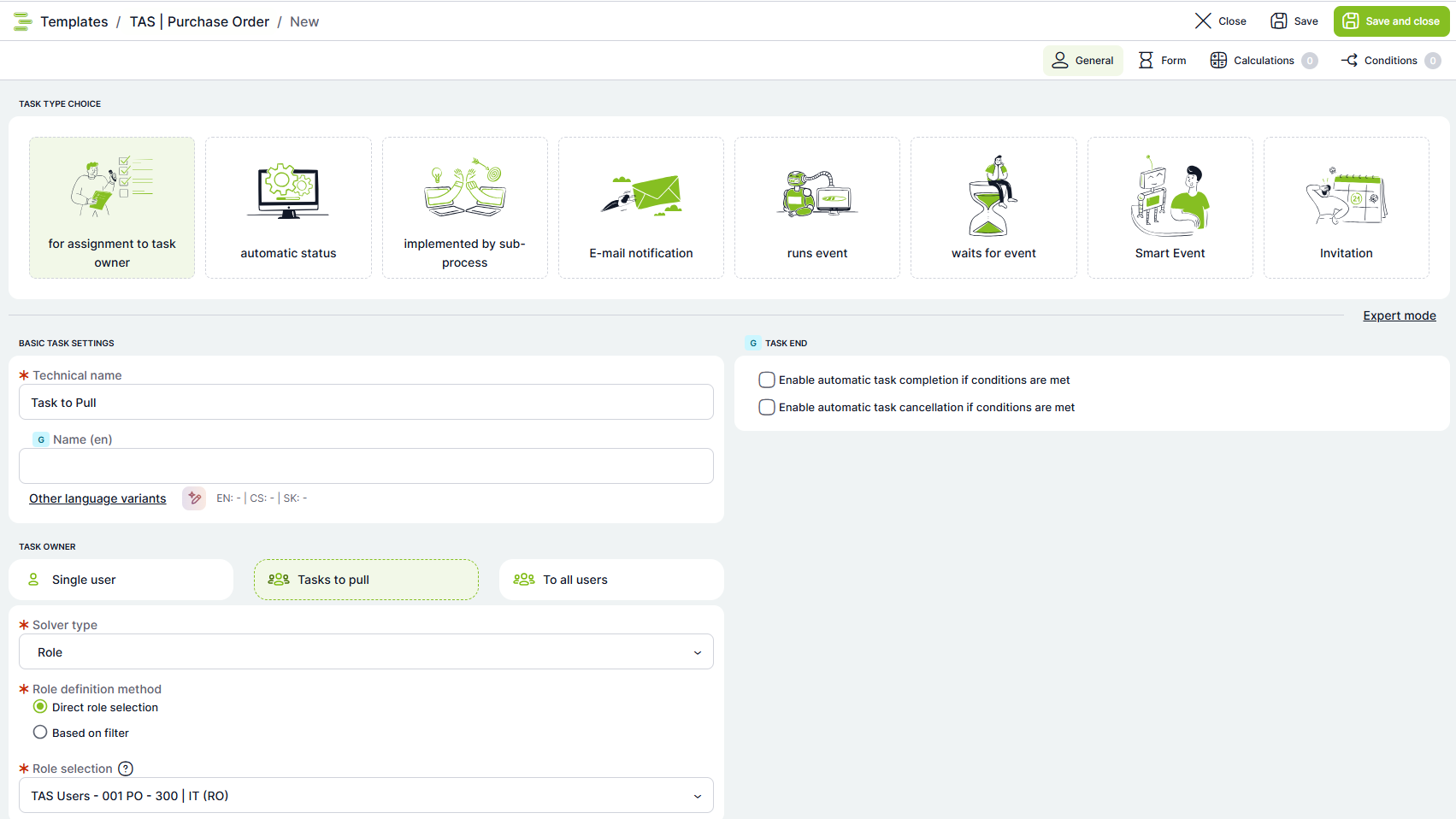
lib.changeAssesmentRole() calculation in the template. The configuration is clear and easy to edit.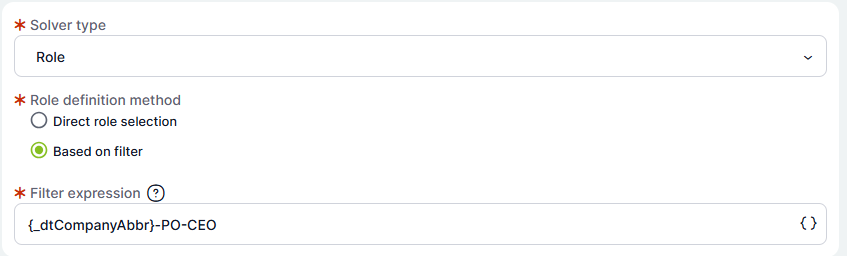
Notification Center – News & Announcements Management
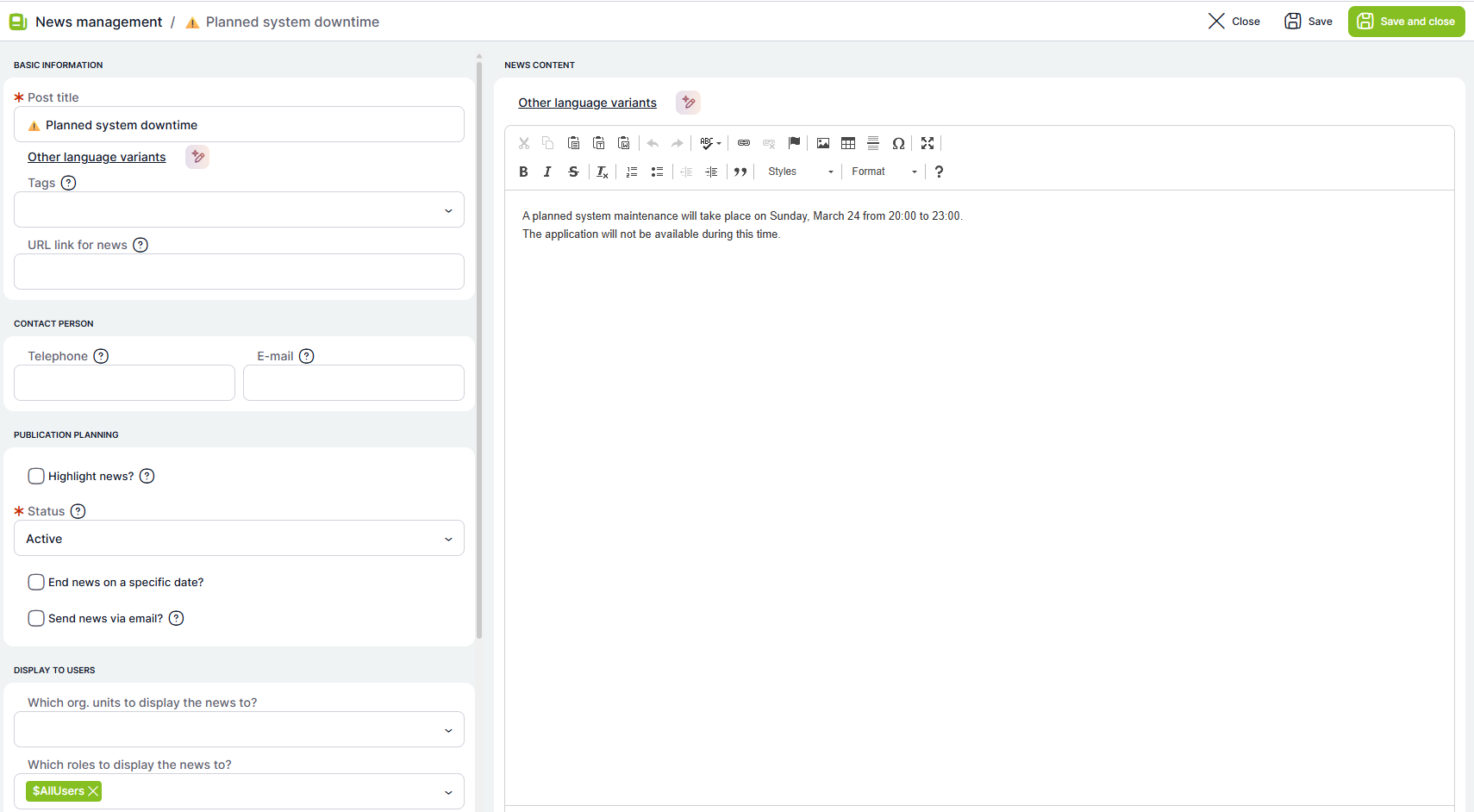
A new News Management tab has been added to the administration. A user with the $NewsManagement role can create and manage news and announcements displayed to users across the application based on selected criteria.
Find the full documentation here.
Smart Event – New Activity Type
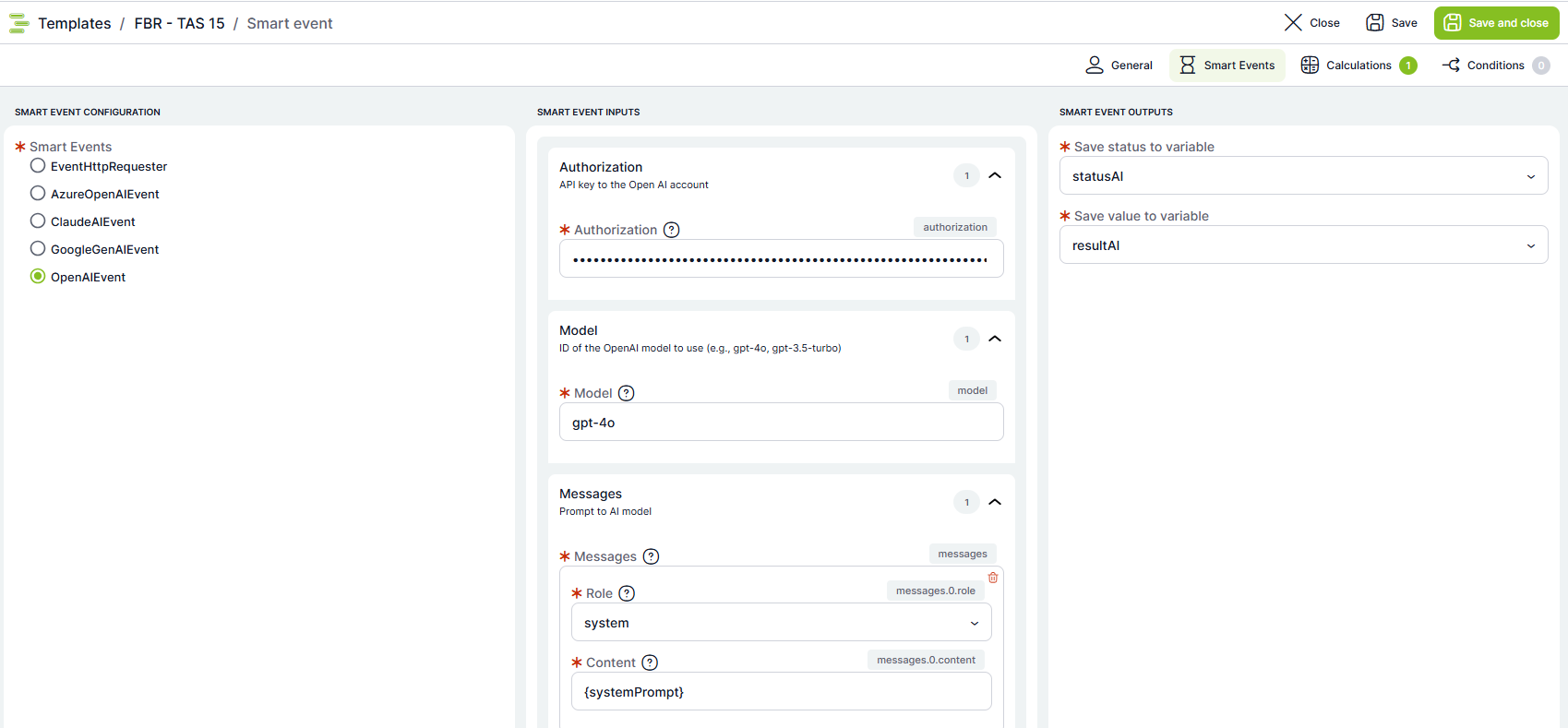
Smart Event is a new type of task that can be tailored to specific needs. Currently available examples include a Smart Event for connecting to ChatGPT and other AI services — call configuration does not require writing code.
Smart Events will be added incrementally and will work as plugins — they can be prepared and imported into the platform without requiring a full system upgrade. A Smart Event is executed automatically; the user does not handle it manually.
Shared Files for Organization Content Management
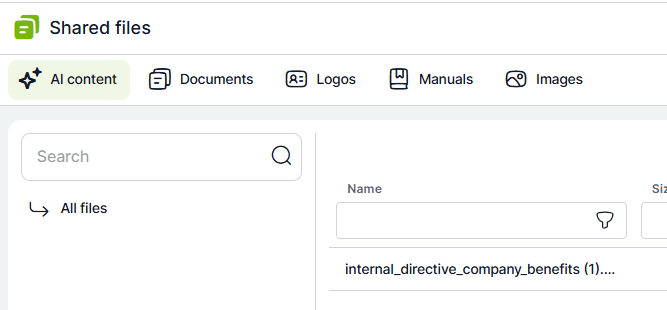
A new Administration → Shared Files section has been added to TAS administration. It is used to manage files shared across the application. This can include organization logos, general documents, manuals, images for print reports, or content intended for AI processing.
Files are divided into separate tabs by purpose, keeping management clear and covering the various content types used in TAS.
The section contains the following categories:
AI Content – Files available for AI processing. Text files in formats such as .txt or .md can be stored here so the AI Assistant can use them as a source of information.
Documents – General documents used within TAS, such as terms and conditions attached to emails, document templates in .docx format, or other files needed for work in the application.
Logos – Storage for logos used in the system, for example on organizational units or elsewhere in the application.
Manuals – A section for documents displayed in the manuals area.
Images – Storage for images that may be used in print reports or other application outputs.
Shared file management can only be performed by administrators.
Scheduling – Redesign and Advanced Recurrence
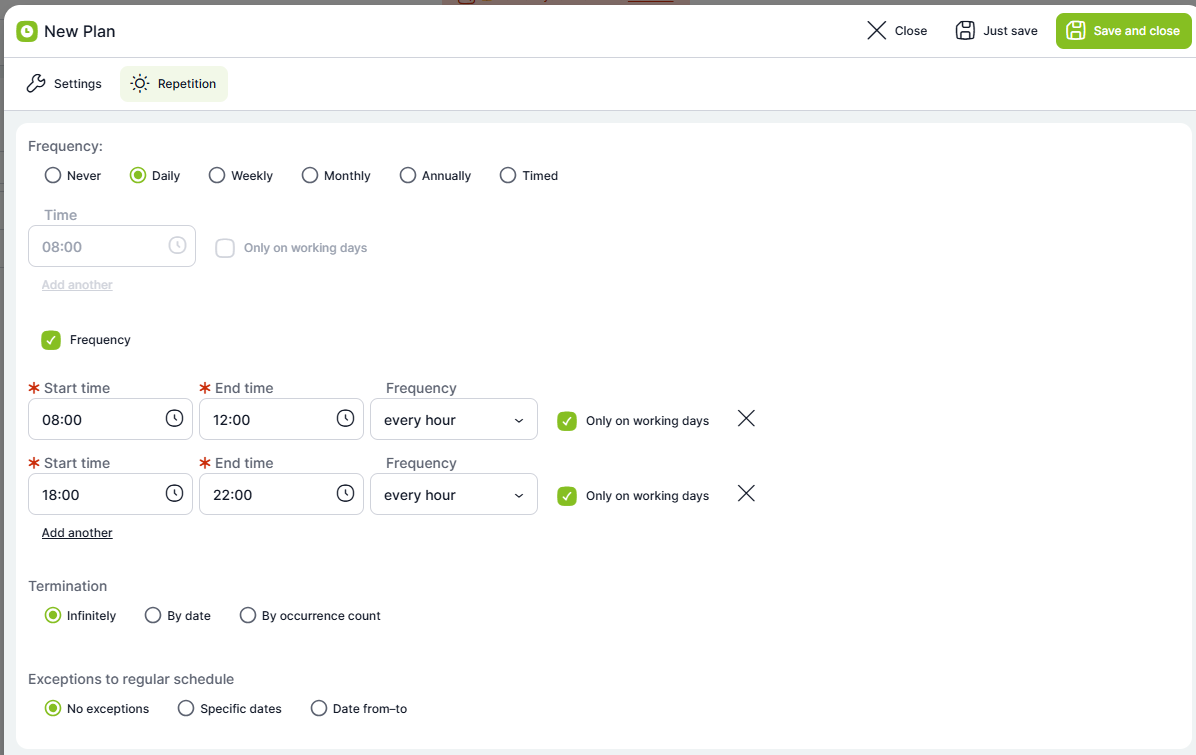
Process scheduling has been completely reworked. It now provides a cleaner interface for administrators and expanded recurrence options, especially for setting intra-day frequency.
Vault for Storing Sensitive Values
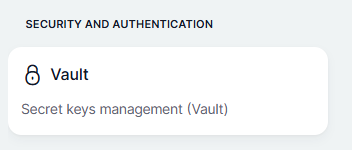
A new Vault section has been added to TAS administration for securely storing sensitive configuration values such as API keys, passwords, access tokens, connection strings, or other sensitive values.
Values stored in the Vault are encrypted and are not displayed directly in calculations, Smart Events, or application logs. In calculations, only the value identifier is used instead of the actual value. TAS then securely retrieves and substitutes the value at runtime.
This makes it possible to separate sensitive data from application logic and reduce the risk of accidental exposure, copying, or logging.
The Vault is available to users with Administrator and SuperAdmin permissions under Administration → Vault. The section also includes an External Sources tab, which displays values defined at the server configuration level, for example in the .env file.
B2B API Tokens for External System Access to the TAS API
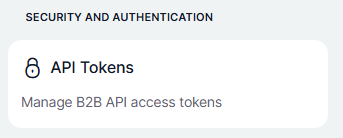
A new Administration → API Tokens section has been added to TAS administration. It allows administrators to create long-lived access tokens for external systems and B2B integrations using the TAS REST API.
Each token is linked to a specific TAS user. When calling the API, the token acts in the context of that user and inherits their permissions, roles, and access rights. This allows you to control which data and functions an external system can access.
For security reasons, the token is displayed only once, immediately after creation. It cannot be retrieved later, so it must be stored securely at the time of creation.
Token validity can be limited to a specific number of days. An administrator can manually invalidate a token at any time — for example, when terminating an integration, changing permissions, or in the event of suspected compromise.
API token management can be performed by administrators or by users with the new system role API Token Administrator.
Administrator Management of User Overviews
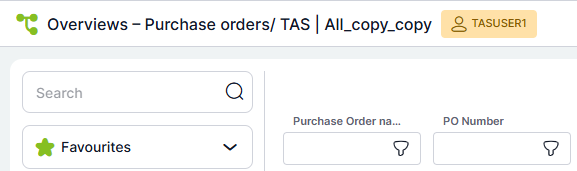
A user with the $OverviewAdmin role can find and edit any user's overview. Access rights to cases follow standard rules — the role only allows viewing and editing the overviews themselves.
The overview owner is now also visible in the overview.
Plugin Management in the New Administration Interface
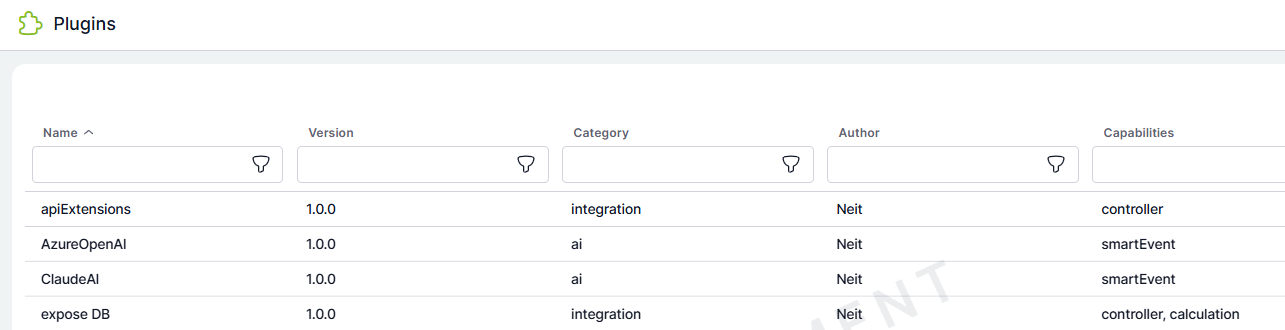
The Administration → Plugins section has been extended with a new graphical interface that provides an overview of installed TAS plugins.
Administrators can now see basic metadata for each plugin, such as name, version, category, and author. The overview also includes information about the plugin's available capabilities, such as custom controllers, calculations, Smart Events, or cron jobs.
This makes it easy to check which extensions are installed in the system and what functions they provide, without needing server-level file access.
Minor Improvements for Faster Work
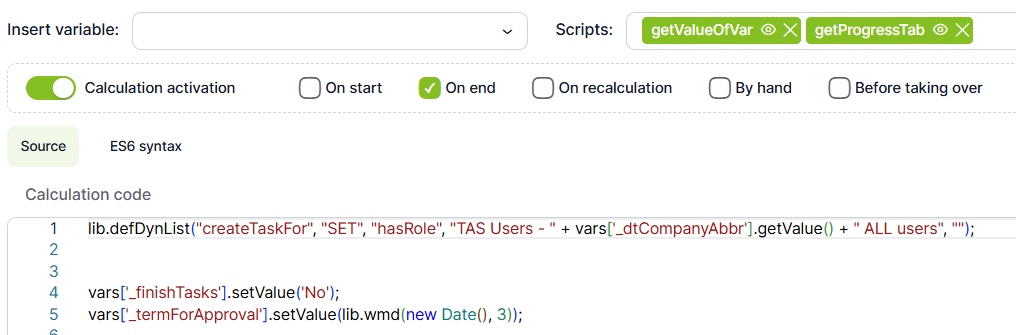
- Direct link to a specific script from calculations using the eye icon.
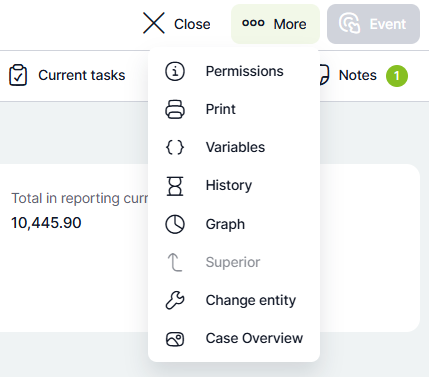
- Direct link for editing the Case Overview from the case detail.
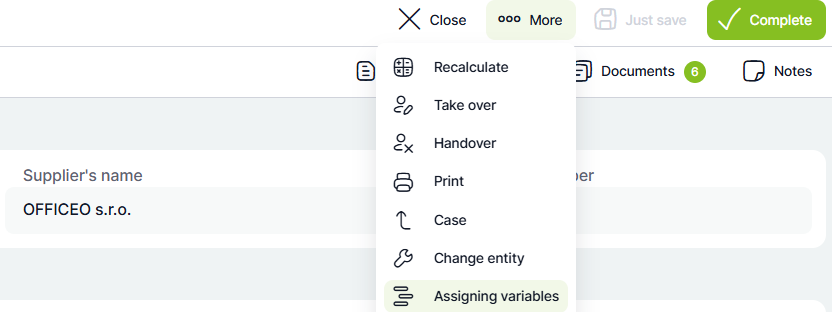
- Edit variable assignments directly from the selected task.
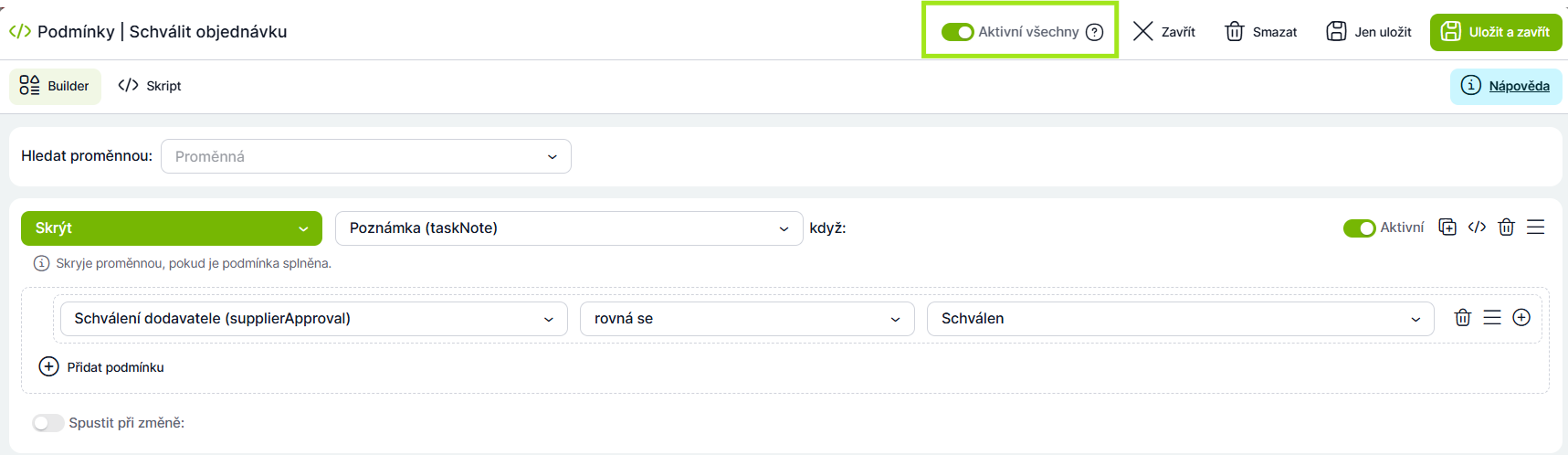
- Option to disable all dynamic conditions at once — without having to comment out the entire code.
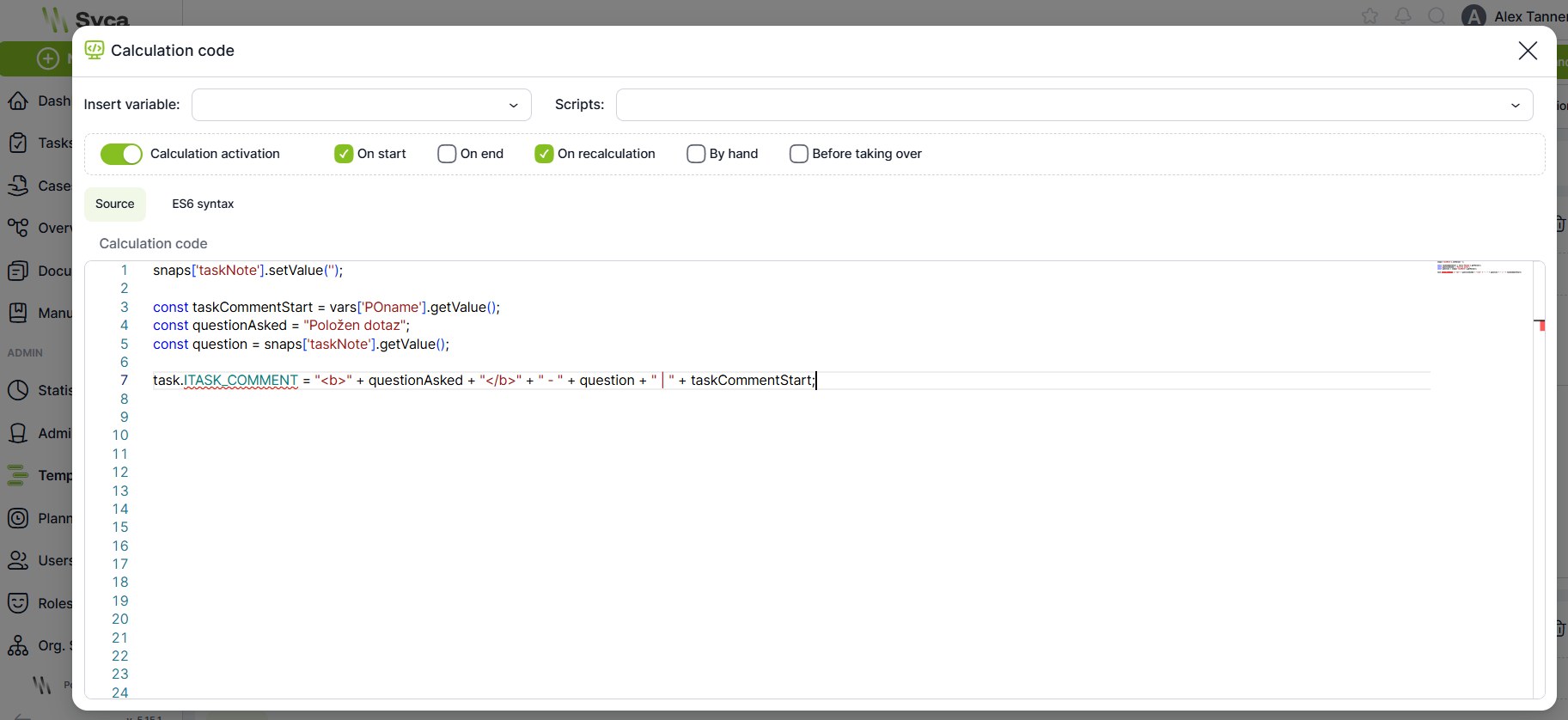
- Enlarged window for editing calculations.
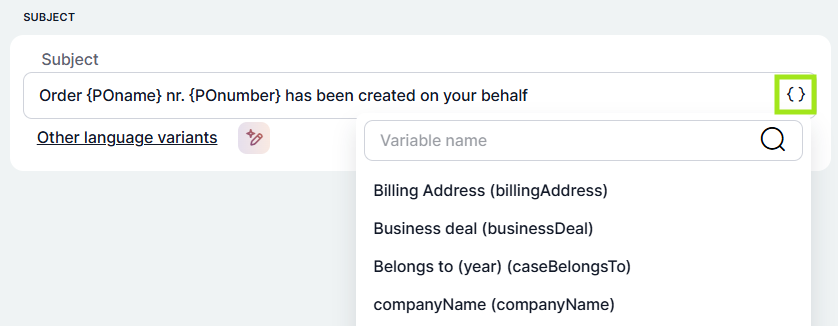
- Search and variable selection in fields that allow a variable to be combined with free text.
AI Translations
AI translation is now available in all places where multilingual variants are managed. A translation is performed by clicking the AI translation icon.

Improved Calculation Help
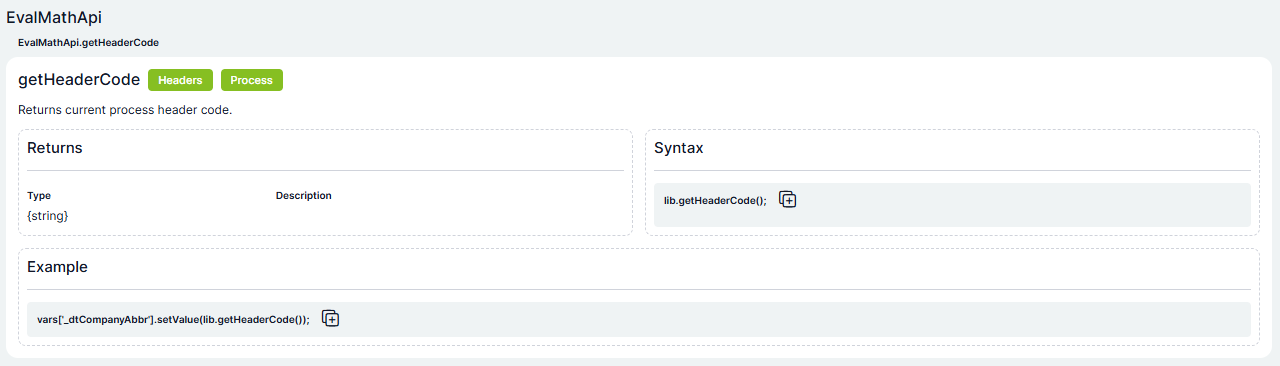
Calculations now include syntax hints, making it immediately clear how a given calculation is used. Filtering in the calculation list has also been improved.
Platform Configuration Redesign
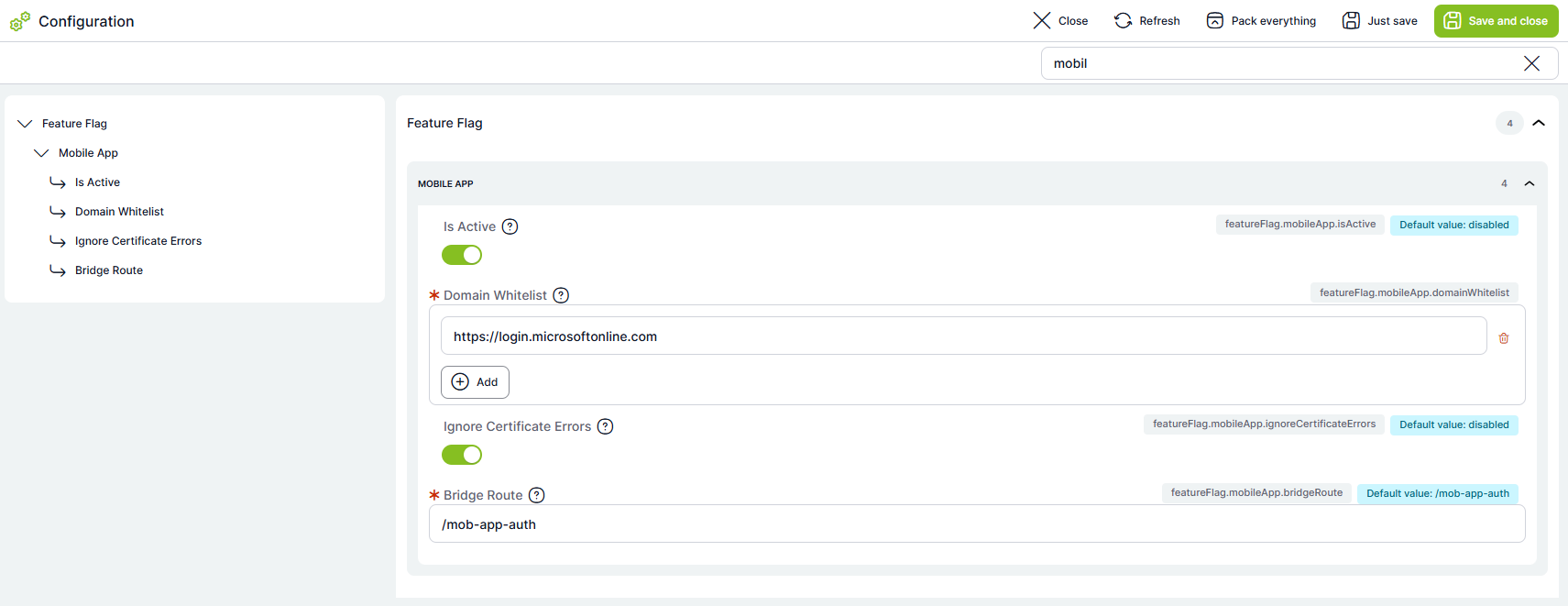
The configuration section has undergone a complete redesign. All settings are now clickable, divided into logical sections, and accessible from a tree menu on the left or via search. The default value is also visible for each setting.
Full PostgreSQL Support
The platform can now also run on PostgreSQL, bringing lower operating costs, higher performance, and better scaling options.
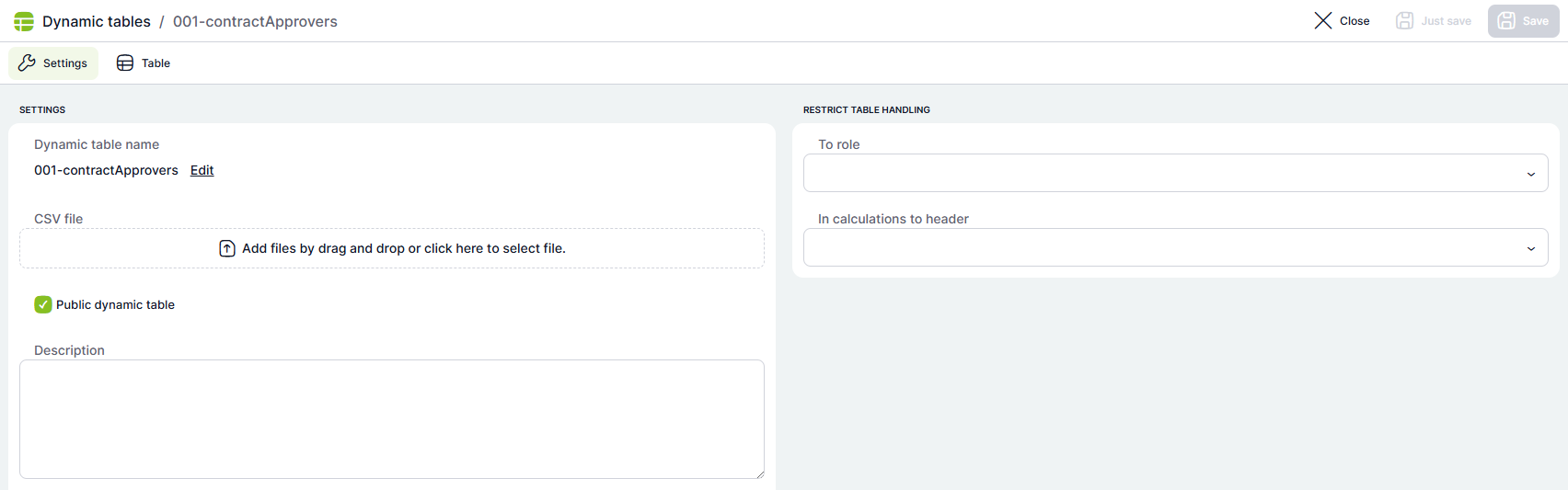
Dynamic Tables Redesign
The dynamic tables section has undergone a complete visual redesign.
Sequences Redesign
The sequences section has undergone a complete redesign. Each sequence now also displays information about its last use.

Roles and Competencies Redesign
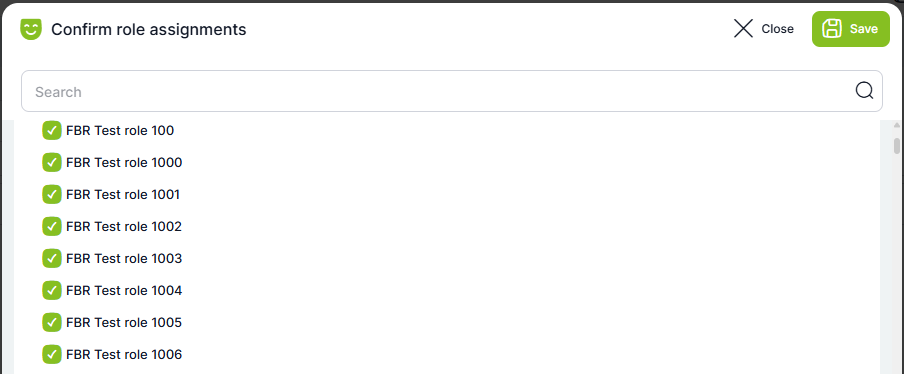
The roles and competencies section has undergone a complete redesign. When copying roles, copied roles can now be reviewed and adjusted before they are saved.
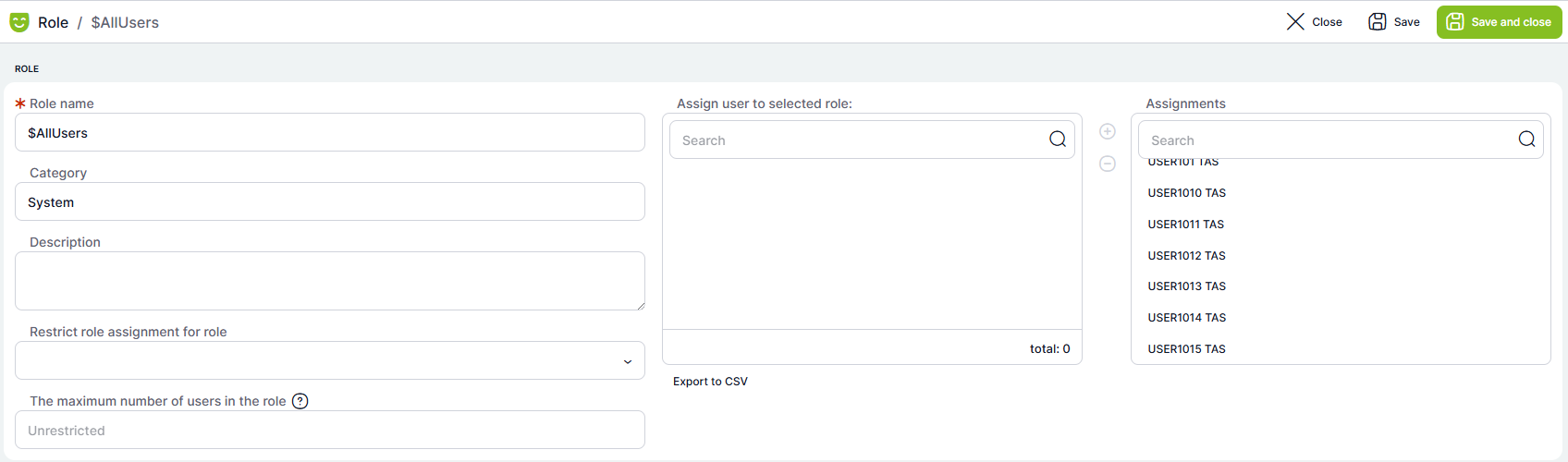
Copying a role from one user to another:
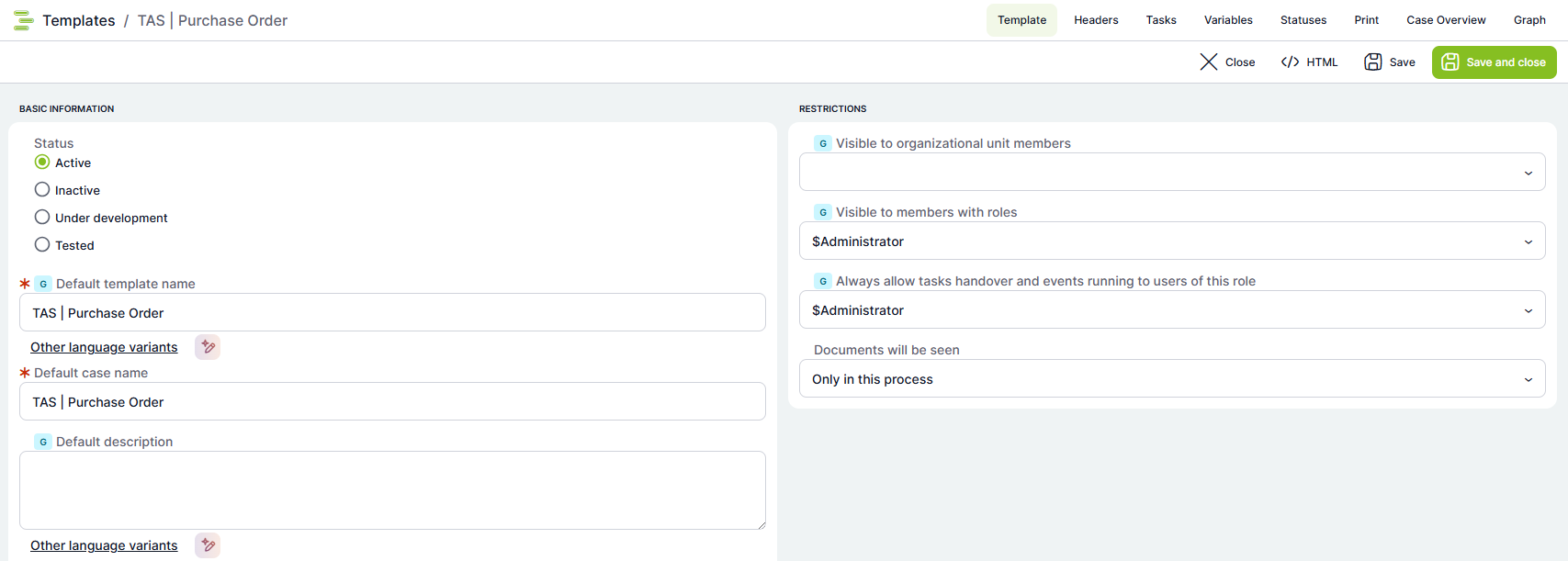
Templates Redesign
Header settings, templates, and all tables have been reworked into a new visual style.
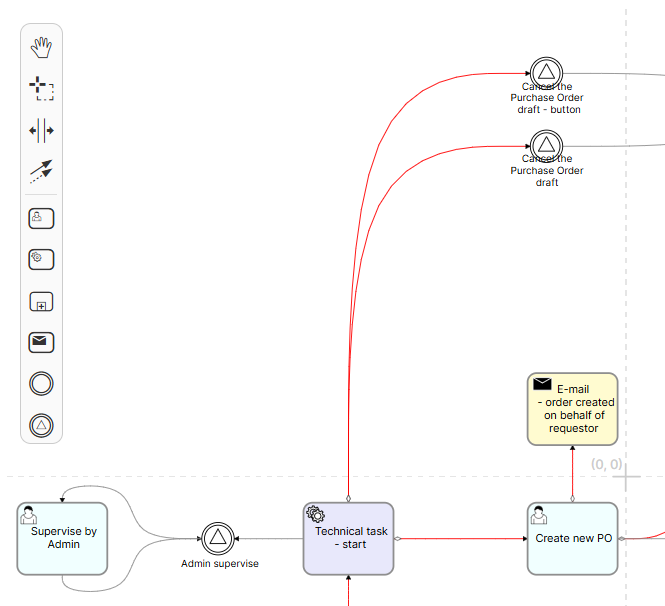
Process Graph Icon Revision
Icons used in the process graph have been revised and extended with support for additional task types.
Global Text Enumerations
Text enumerations were previously bound to a specific case — adding a new option or making an edit would therefore not take effect in already running cases. From version 5.17, enumerations are global (template-based): every change takes effect immediately across all active cases.
Logs Tab in Process Templates
A new Logs tab has been added to the process template detail. It displays log records related to the specific template. This improvement simplifies diagnostics and provides better control over template changes.